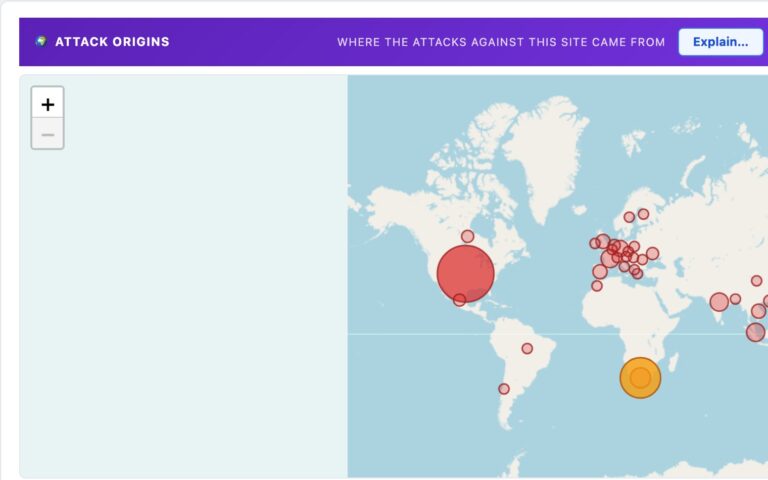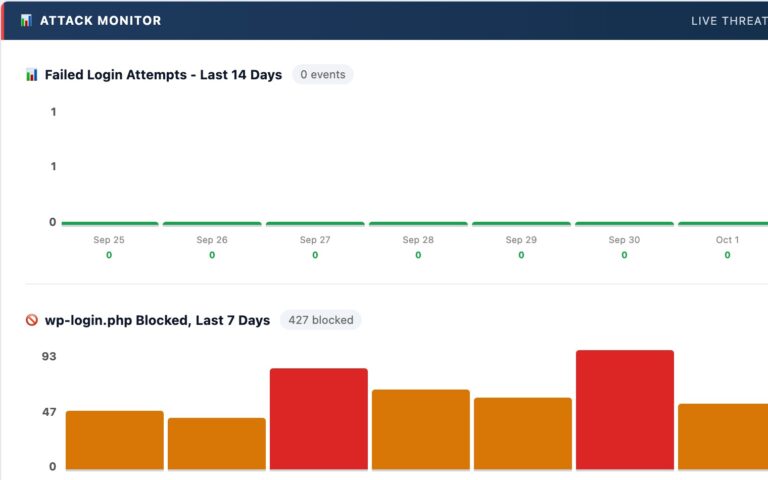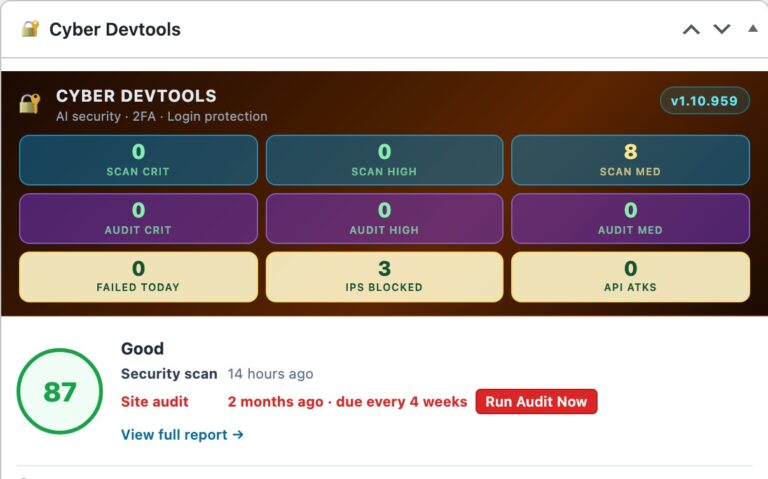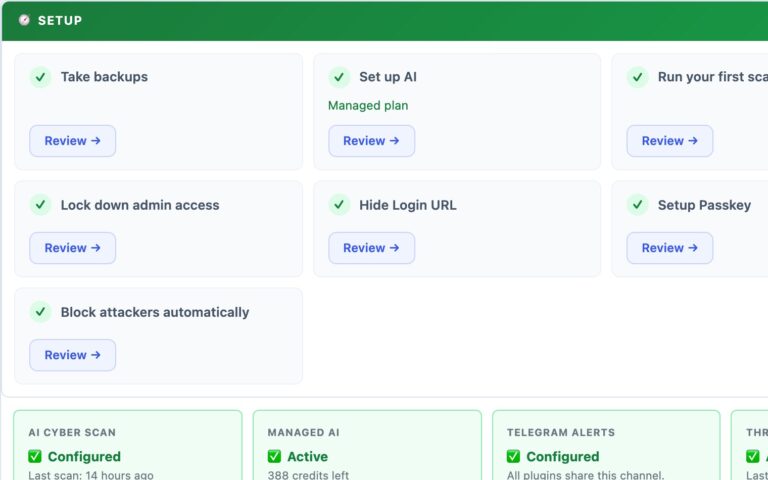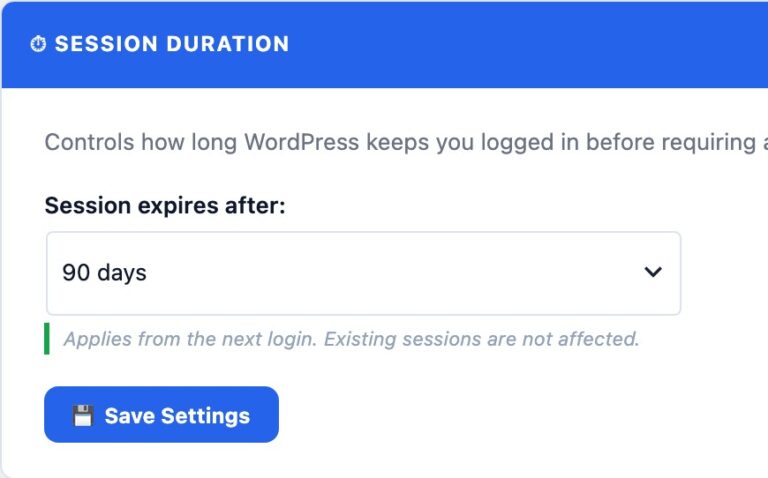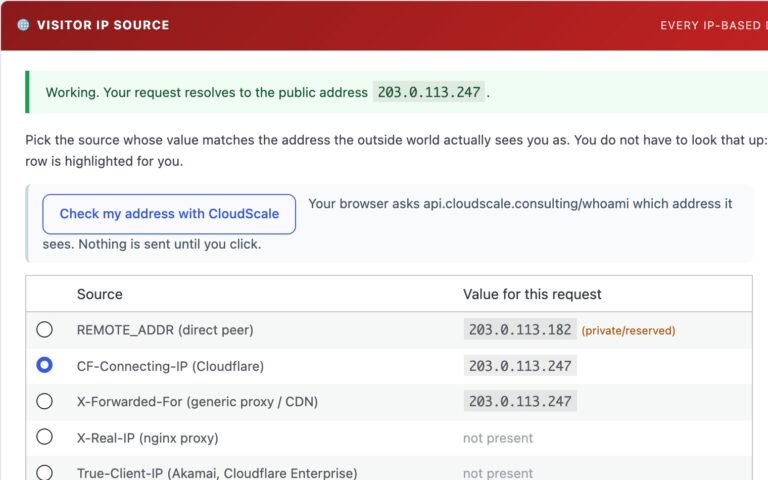
🛡️ Runtime Protection, Built In, Free
A Real Firewall in Front of Every Request
CloudScale does not just tell you what is wrong. It stands in the request path and refuses the attack before your theme or any plugin’s request handler gets to see it. Eight layers, every one of them free, none of them held back for a paid tier.
1. Request firewall, 18 rulesCore
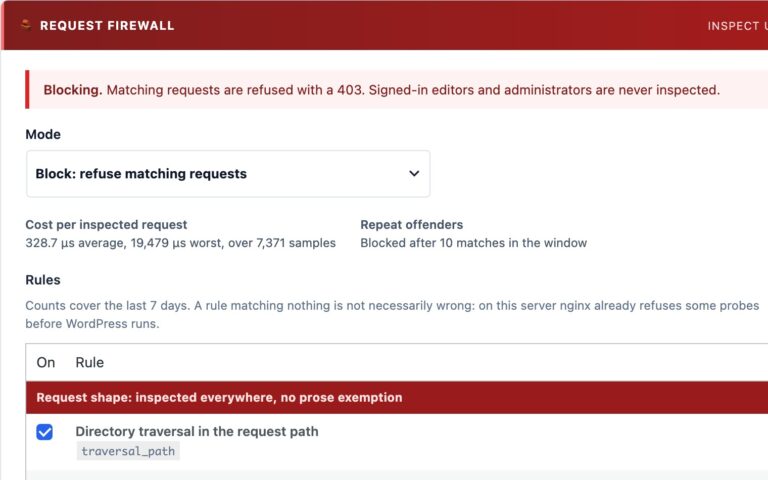
SQL injection, cross-site scripting, code and command execution, PHP object injection, remote and local file inclusion, PHP stream wrappers, directory traversal, XML external entities, XML-RPC amplification, prototype pollution, Log4Shell-style lookups, uploaded executables, probes for config and backup files, and known scanner tools. Every value is decoded and normalised first, the way the target would read it, so encoded and comment-split payloads are caught too.
2. Rules for whole classes of plugin CVECore
Some attacks need one precondition whatever the payload looks like. An anonymous visitor claiming an administrator’s user ID (Formidable Forms CVE-2026-18331) or asking a registration form for the administrator role (Bricksforge, Advanced Form Integration) is refused, however the rest of the attack is encoded.
3. Rate limitingCore
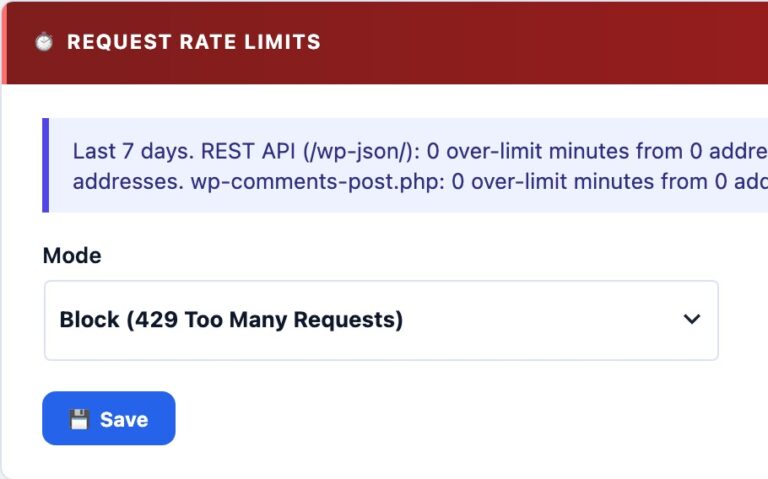
Per-address limits on the REST API, admin-ajax.php and xmlrpc.php, answered with 429. User enumeration, credential stuffing and amplification all look harmless one request at a time. Counted in memory, never in the database.
4. Malicious-network blocklistEssential
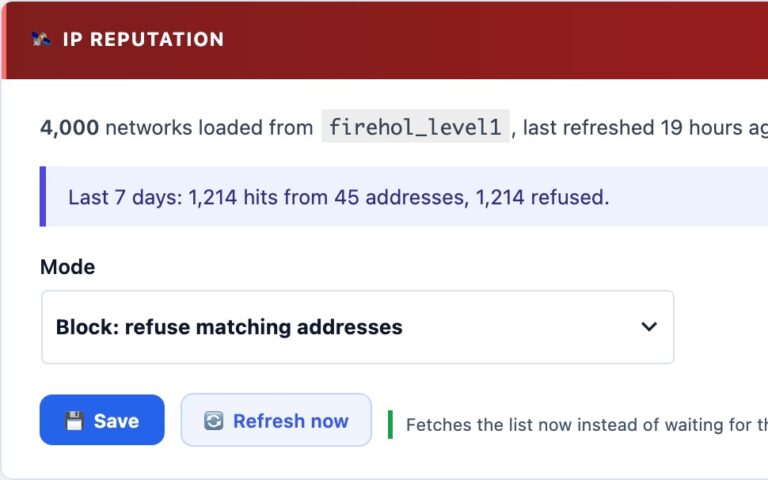
FireHOL’s level1 list, which merges Spamhaus DROP and EDROP with other public feeds: hijacked and abuse-dedicated networks, refused on arrival. Refreshed daily, checked locally, no network call while a visitor waits.
5. Shields for vulnerable pluginsCore
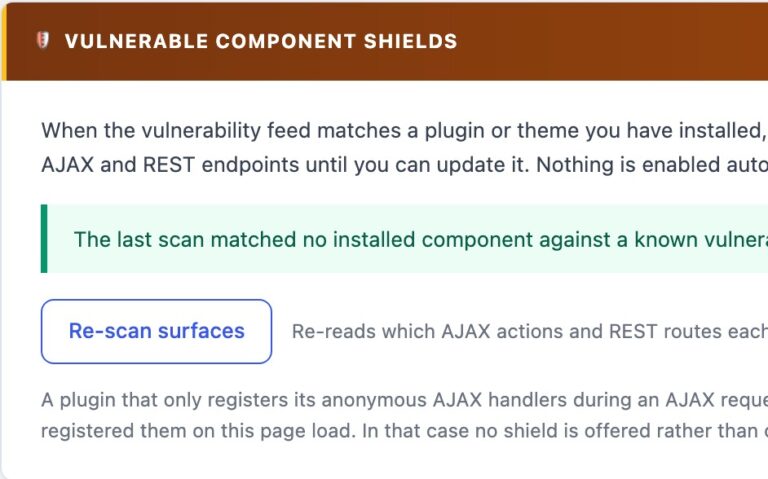
When the daily vulnerability check finds a plugin with a known unpatched flaw, you can close that plugin’s anonymous AJAX and REST endpoints with one click. The shield lifts itself the moment the fixed version is installed.
6. Comment GuardRecommended
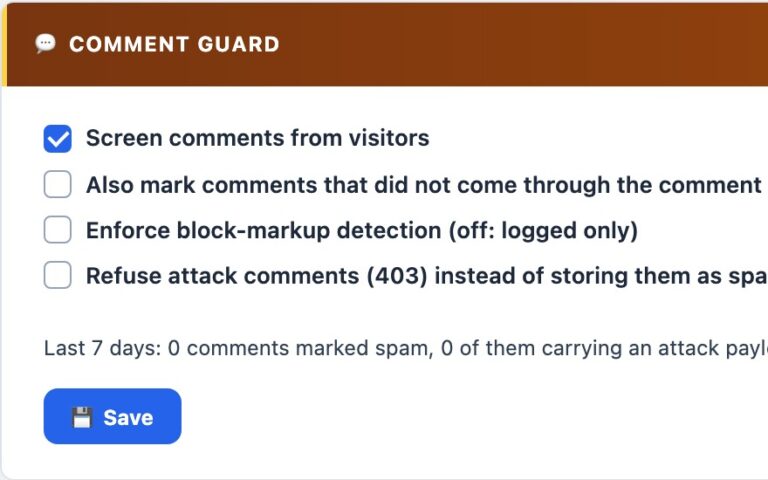
A hidden bot trap, a speed check and a rate cap on the comment form, and the firewall’s rules run over the comment text itself. One bad comment and the sender is blocked from the whole site.
7. Country blockingRecommended
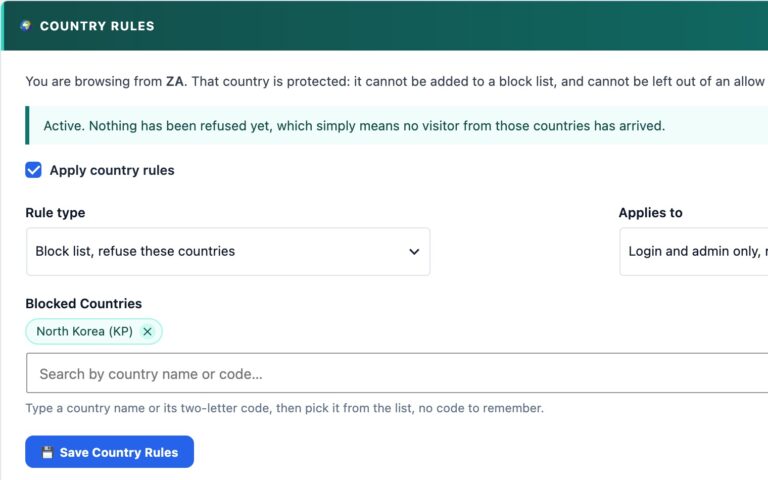
Block list or allow list, for the login and admin area only or the whole site, with guards that stop you blocking the country you are browsing from.
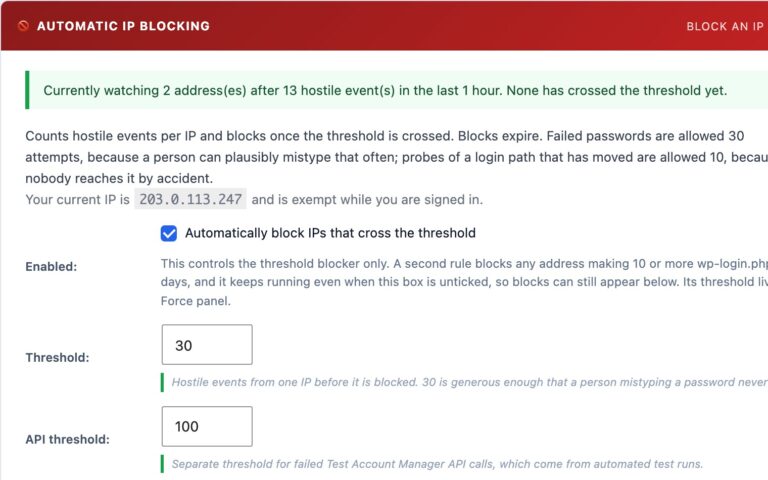
8. Automatic IP blocking, with Telegram alertsCore
Eight signals feed one ban policy: firewall matches, rate-limit breaches, 404 floods, failed logins, XML-RPC logins, hidden-login probes, API abuse and comment attacks. Bans escalate from an hour to a week, and every block reaches your phone.
- Safe to switch on: every control ships in Log only, shows you exactly what it would have refused on your own traffic, and refuses to switch to Block if your own address would be caught.
- Built for sites that write about security: searches and comments that merely mention an attack are not refused at the door, and signed-in authors are never filtered, so a technical post with SQL in a code block saves normally.
- Fails open: if the engine ever errors, the request proceeds. A firewall that takes your site down is worse than one that misses a request.
- Measured, not guessed: the panel shows the real cost per inspected request.
- Private by design: the log keeps the rule, address and path, never the query string or the body, so a captured payload cannot become a liability.
✨ New in the Code Block
Mermaid Diagrams, Drawn Right in Your Posts
Write the diagram as text, the way you would in a GitHub README, and your readers see the finished picture. No Visio export, no screenshot that goes stale the moment the design changes, no separate diagram plugin, and no CDN: the diagram is drawn in the reader’s browser from the text in your post, so editing the text is editing the diagram.
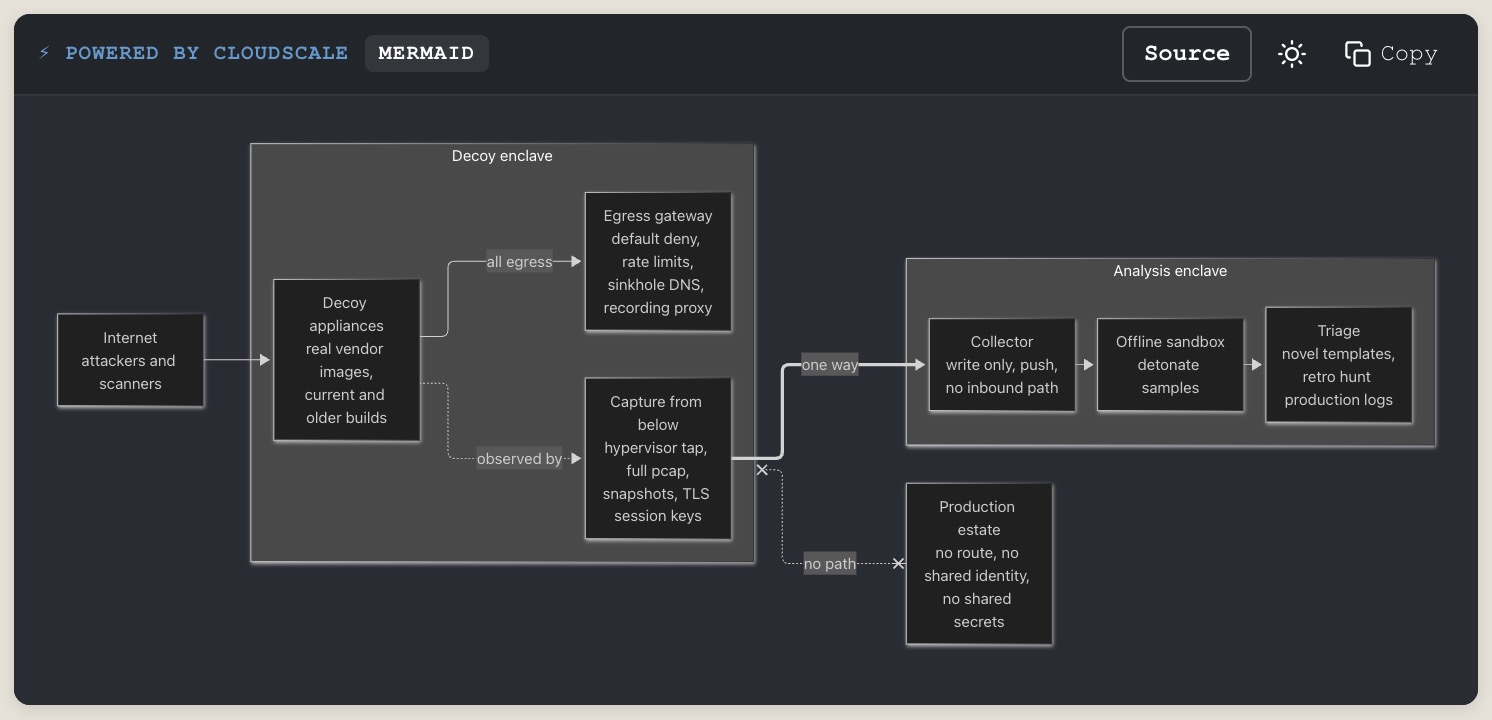
- Every Mermaid diagram type: flowcharts, sequence, class, state, entity-relationship, Gantt, pie, mind maps, timelines and more.
- Source button: readers flip between the diagram and the text that made it; Copy copies the source.
- Light and dark: the theme toggle redraws the diagram to match.
- Never a blank box: a syntax error shows the source with a one-line reason instead.
- Fast everywhere else: Mermaid is bundled with the plugin and loads only on pages that contain a diagram.
- Safe: labels are sanitised with Mermaid’s strict security level, so a diagram cannot run script.
Two Ways to Run the AI
Bring Your Own Key, Free
Your WordPress data goes direct to the AI provider you pick (Anthropic or Google). No middleman, no subscription, full control. You hold the account and the card.
Managed AI, Hassle-Free, ~$10/mo
No API account or card to set up. CloudScale routes every job across multiple frontier models instead of pinning you to one vendor, prices it token-optimized so $10 covers text, images and narration, and falls back to your own key automatically if it’s ever unavailable. Details below ↓
The WordPress Security Reality No One Talks About
WordPress powers 43% of every website on the internet, over 810 million sites. That extraordinary market dominance makes it the single most targeted platform in the history of the web. Automated attack bots don’t discriminate by site size or traffic. Your personal blog, your agency client’s e-commerce store, your company’s marketing site: they are all being probed right now, regardless of how small or “not worth hacking” you think they are.
The numbers are stark. Approximately 90,000 WordPress sites are attacked every single minute. Over 97% of those attacks are fully automated: bots running credential-stuffing scripts, plugin vulnerability scanners, and file-injection exploits around the clock, targeting millions of sites simultaneously. The bots don’t care who you are. They care that you’re running WordPress.
And here is the uncomfortable truth about the typical WordPress security posture: it’s almost always inadequate, and the owner almost never knows it. Debug mode left on in production, leaking PHP errors to every visitor. WordPress version number advertised in page source and RSS feeds, letting attackers search for known CVEs before you’ve had a chance to patch. /wp-login.php answering requests from every IP on earth, soaking up thousands of brute-force attempts per day. Plugins installed years ago, never updated, carrying unpatched vulnerabilities that have been in public CVE databases for months. A single administrator account with a password reused from a site that breached two years ago. None of this is unusual. All of it is standard.
The consequences are binary and brutal. An unprotected login page or an SSH port open to the internet with no brute-force protection will either get your server recruited into a DDoS botnet (taking your site offline and potentially getting your IP blacklisted), or it hands attackers the keys to your admin dashboard. Servers with open SSH and no fail2ban are found by automated scanners within minutes of going online. Once inside, they don’t just deface your site. They install backdoors, steal customer data, send spam through your mail server, and use your infrastructure to attack other targets. You often won’t know for weeks.
The Checklist Security Myth
For years, WordPress security advice has come in the form of checklists: “enable these constants in wp-config.php, install a firewall plugin, keep plugins updated.” This advice is correct but woefully incomplete. A checklist tells you what to check. It cannot tell you what your specific configuration actually means from a risk perspective, whether a combination of settings creates an exposure that no individual setting would reveal, or whether one of your installed plugins contains obfuscated code that bypasses every firewall rule written. Checklists treat all sites as identical. Your site is not identical to anyone else’s.
The Plugin Stack You’re Currently Paying For
Here is the typical WordPress security and developer tooling stack, with real 2025 pricing for sites that take this seriously:
| Plugin | What it does | Premium cost |
|---|---|---|
| Wordfence Premium | Security scanner, firewall, malware detection | $119/year |
| WP 2FA Pro | Two-factor authentication for wp-admin | $79/year |
| WP Mail SMTP Pro | Authenticated SMTP email delivery | $49/year |
| Prismatic | Syntax-highlighted code blocks | $29/year |
| iThemes Security Pro | Brute-force protection, hide login URL | $99/year |
| WPScan | Vulnerability scanning and audit reporting | $25 to $75/month |
| Total (conservative) | Minimum tiers, annual billing | $375 to $1,275/year |
| CloudScale | Everything above, plus frontier AI audit | Free + optional Managed AI, $10/mo |
This isn’t a feature comparison where CloudScale cuts corners to hit a free price point. It’s a full implementation of each category, and the AI security audit isn’t a cut-down version of a paid product. It’s built on frontier models that outperform the signature-based scanners you’re currently paying for.
Why the Existing Security Tools Fall Short
Understanding the Terminology
CVE (Common Vulnerabilities and Exposures) is a public database of known security flaws in software. Each one gets a unique ID like CVE-2024-1234. When a researcher discovers a bug in a WordPress plugin that could let an attacker take over a site, they file a CVE report. It gets added to the database. Security tools scan your plugins against this list.
CVSS score (Common Vulnerability Scoring System) rates the severity of each CVE on a scale of 0 to 10. The four bands you’ll see in CloudScale’s reports: Critical (9 to 10): remote code execution, full site takeover, mass data theft possible with no user interaction. High (7 to 8.9): significant data exposure or privilege escalation. Medium (4 to 6.9): real risk but requires specific conditions. Low (0.1 to 3.9): minimal practical impact. Any Critical finding on a live site should be treated as a fire drill.
Zero-day refers to a vulnerability that is being actively exploited before a patch exists or before it has been added to any CVE database. The name comes from the fact that developers have had zero days to fix it. Zero-days are the most dangerous class of vulnerability because every signature-based scanner in the world is blind to them. The attacker knows about the flaw. The defenders don’t. The only way to catch them is through code analysis and behavioural reasoning. That is exactly what CloudScale’s AI Code Triage does.
CloudScale’s plugin and core CVE matching isn’t a bundled snapshot that goes stale between plugin updates. It cross-references wpvulnerability.net and the NIST National Vulnerability Database (NVD) directly, refreshed at least every 24 hours, for every site running CloudScale, free or managed.
Wordfence ($119/year for premium), Sucuri ($199/year), and WPScan ($25 to $75/month) are the tools most security professionals will point you to. They are legitimate products that do real things: malware signature scanning, firewall rules, IP reputation blocking. But they share a fundamental architectural limitation. They are signature-based. They match what they see on your site against a database of known bad patterns. If the malware or misconfiguration isn’t in their database yet, they don’t flag it. They are inherently reactive; they require someone to be compromised first, for the attack pattern to be captured, analysed, and written into a rule. By definition they cannot identify novel threats, unusual configuration combinations, or the specific risk profile of your particular setup.
CloudScale vs The Paid Stack: Full Comparison
| Capability | WPScan $25 to $75/mo |
Wordfence Premium $119/yr |
CloudScale Free + optional Managed AI, $10/mo |
|---|---|---|---|
| AI security analysis | ✗ | ✗ Signature only | ✓ Frontier AI |
| Novel / zero-day threats | ✗ DB only | ✗ DB only | ✓ First-principles reasoning |
| Context-aware findings | ✗ | ✗ | ✓ Your specific config |
| PHP code static analysis | ✗ | Limited | ✓ AI-triaged per plugin |
| SSH / sshd_config checks | ✗ | ✗ | ✓ CRITICAL finding if open |
| DNS / SPF / DMARC analysis | ✗ | ✗ | ✓ |
| One-click remediations | ✗ | Some | ✓ 7 quick fixes |
| 2FA + Passkeys included | ✗ | ✗ | ✓ All three methods |
| Data via vendor server | Yes | Yes | No. Direct to AI API. |
| Server log viewer | ✗ | ✗ | ✓ Included |
| SMTP + syntax-highlighted code blocks | ✗ | ✗ | ✓ Included |
The premium price also filters out the vast majority of WordPress site owners. There are 810 million WordPress sites and a fraction of them pay for premium security tooling. Everyone else: the personal bloggers, small business owners, freelancers building sites for local clients. They are either running free tools with heavily restricted capabilities, or running nothing at all.
The “AI Security” Marketing Trap
Since ChatGPT became mainstream, the WordPress plugin directory has filled with plugins claiming “AI-powered security.” Look closely at almost all of them and you find one of two things: either a bolt-on GPT-4 API call wrapped around the same signature-based scan output that existed before (the AI doesn’t do the analysis, it just summarises it), or a marketing page full of AI language that describes what the plugin could detect with AI, without actually using AI to do it.
Real AI security analysis means sending your actual configuration, your actual plugin list, your actual code (not a pre-processed summary) to a frontier model and asking it to reason about the specific risk profile. It means the AI can identify that your combination of an outdated caching plugin, a relaxed CORS policy, and a public-facing REST API endpoint creates an exposure that no individual component would trigger on its own. That requires genuine frontier intelligence, not pattern-matching dressed up with AI branding.
What Frontier AI Actually Changes
Anthropic Claude Opus 4.8 and Google Gemini are not chatbots with a security FAQ. They are frontier reasoning systems with deep knowledge of CVEs, OWASP vulnerabilities, PHP exploitation techniques, WordPress internals, and the full threat landscape. A professional security consultant doing a WordPress audit is doing fundamentally the same thing: reading your configuration, reasoning about what it means, cross-referencing known vulnerability patterns, and applying judgement about real-world risk. The audit a consultant would charge $500 to $5,000 for and take days to schedule? The AI does it in under 60 seconds, on your specific site.
The critical difference from signature-based tools: the AI doesn’t need your vulnerability to be in a database first. It reasons from first principles. When it reads your sshd_config and sees that PasswordAuthentication yes is set with no fail2ban equivalent running and port 22 open to the internet, it knows from its training on real-world security incidents that this configuration actively gets servers recruited into DDoS botnets. Not because that specific combination is in a signature database. Because it understands what that configuration means.
The Mythology of AI Security
There is a prevailing mythology in the security industry that AI is a magic layer you bolt onto existing tools to make them better. Vendors who spent the last decade building signature databases rebranded overnight. The product didn’t change. The marketing did. “AI-powered” became the new “cloud-enabled”: a phrase that means everything and nothing at once.
The mythology is seductive because it’s partly true. Adding an AI summary to a Wordfence scan report does make it easier to read. Adding a chatbot that explains CVEs is marginally useful. But these are cosmetic improvements to a fundamentally reactive architecture. The underlying problem is unchanged: you can only detect what you’ve already catalogued.
What frontier AI actually enables is something qualitatively different. Not a better summary of existing scan results. A different kind of analysis altogether. Claude Opus 4.8 has read more security research, CVE disclosures, penetration testing write-ups, and malware analyses than any human security team ever could. When it looks at your WordPress configuration, it is drawing on that entire body of knowledge simultaneously, applying it to your specific situation, and reasoning about what it actually means for you. That’s not a better wrapper around signature matching. That’s a different tool entirely.
Where This Goes Next
We are at the beginning of a capability curve, not the middle. The models available today (Claude Sonnet 5, Claude Opus 4.8, Gemini 1.5 Pro) already outperform the security analysis you’d get from most paid consultants. The models coming in the next 12 to 24 months will make these look primitive.
Claude 5 and its successors will be capable of autonomous security research: actively probing your infrastructure, reasoning about multi-step attack chains, writing and testing proposed fixes, and explaining the second and third-order consequences of every configuration decision. The gap between “AI that helps you understand a scan” and “AI that autonomously hardens your infrastructure” is closing fast.
CloudScale is built to absorb every new model the day it launches. No migration, no upgrade fee, no waiting. Your plugin gets smarter as the underlying AI gets smarter. The architecture was designed specifically for this: your site, your API key, your direct relationship with the provider. When the next breakthrough model drops, you flip a dropdown and you’re on it.
CloudScale Cyber and Devtools: The Breakthrough
CloudScale Cyber and Devtools is a free, open-source WordPress security and developer toolkit that gives every WordPress site owner access to exactly this level of analysis. No premium tier. No “upgrade to see your full results.” No monthly subscription. You bring your own API key (Google Gemini has a free tier that requires no credit card), and the plugin runs on your own server. Your data never goes anywhere except directly to the AI provider you choose.
The result is a full security audit that would normally cost hundreds of dollars from a consultant, available in your WordPress dashboard, for free, any time you want to run it. Set up daily or weekly scheduled scans and you’ll get an email alert when new issues appear, so you know about problems before your users or Google do.
No Middleman. No Data Risk. Always the Latest Models.
Most “AI-powered” WordPress security products send your site’s data to their own servers first, where it gets logged, processed, and potentially used to train their models, before eventually forwarding it to an AI provider. You’re paying for a middleman who adds latency, a new privacy risk, and a business model dependency. When that vendor changes their pricing, gets acquired, or goes offline, your security tooling goes with it.
CloudScale works differently. Your WordPress data goes directly from your server to the AI provider’s API (Anthropic or Google) with no intermediary, no CloudScale server, no third-party logging. You supply your own API key, so you have a direct relationship with the provider and full control over your data. CloudScale never sees your site data at all.
Managed AI: Hassle-Free, Multi-Model, Token-Optimized
Holding an API key means an account, a card, a prepaid minimum and a bill to watch, and for image generation and narration it means three of those, because they are three different kinds of model. Managed AI removes all of it: no provider account to open, no card to add, one predictable bill of about $10 USD a month, and CloudScale runs the AI capacity for you. It is an optional upgrade; everything on the free, bring-your-own-key path above stays true and stays the default.
It also means your site isn’t pinned to one vendor’s model. Managed requests are routed across multiple frontier models through CloudScale’s own failover infrastructure, if one provider is degraded, the next request goes to a different one automatically, so your audit is effectively checked by more than a single AI vendor’s opinion, something a self-supplied single-provider key can’t do on its own. What you get for the $10 is one allowance covering 200 text requests, 30 generated images and 500,000 characters of narration each month, one card on file instead of three, and a usage dashboard.
Why $10 covers three things: it’s token-optimized. CloudScale buys capacity in bulk and sends each job to the cheapest tier that does it well, rather than paying premium rates to summarise a page. Measured across CloudScale’s own usage, the routed text tier costs about an eighteenth per million tokens of what the premium tier costs, and that difference is what pays for the images and the narration inside the same $10. The hard work still goes to the premium tier, you are not getting a cheaper answer, you are just not paying premium rates for the easy 90% of the work.
It is not a lock-in either way. If the managed service is ever unavailable the plugin falls back to your own key automatically, so keeping one configured is worth doing on either plan. Your own API keys are never sent to CloudScale, and every AI feature works without a subscription.
Progress screens name the tier that did the work, CS-Text-1 for everyday text, CS-Text-Pro for the hardest reasoning, CS-Voice-1 and CS-Voice-Pro for narration, CS-Image-1 for images, because which engine serves a tier is chosen per job and changes as better or cheaper options appear. A model you supply yourself is never renamed: the plugin shows exactly what you chose.
When Anthropic releases Claude Opus 5 or Google ships Gemini 3, you get it immediately. No waiting for a plugin vendor to integrate it, no being held on an older model to protect their infrastructure margins. CloudScale ships support for the latest frontier models as soon as they launch. You choose your model, you own the key, you get the best intelligence available from day one.
Why WordPress Plugin Stacks Are Broken (And How CloudScale Fixes It)
The average WordPress site runs 17 active plugins. Each one adds its own JavaScript, its own CSS, and its own HTTP requests to every page load. Each has its own update cycle, its own support forum, its own settings panel, and its own potential for conflict with every other plugin on the site. They were not designed to work together. They were each designed to solve one problem in isolation.
The result is a fragmentation tax. You end up with five different places to check security settings. Your SMTP plugin doesn’t know about your security plugin’s admin restrictions. Your 2FA plugin doesn’t know about your brute-force protection plugin’s lockout logic. Your code highlighting plugin loads from a CDN that your Content Security Policy blocks. The more plugins you add, the more attack surface you expose, and the more cognitive overhead you carry every time you log into wp-admin.
CloudScale is designed as a unified layer from the ground up. The security scanner knows about the login settings. The 2FA system integrates with the brute-force protection. The performance monitor shows load contribution from every component in one overlay. It was built as a system, not assembled from parts written by different teams for different purposes and then bolted together with activation hooks.
One plugin to install. One plugin to update. One changelog to read. One GitHub repository to audit. One developer to contact when something breaks. That consolidation is itself a security feature: fewer moving parts means fewer attack vectors and fewer places for something to quietly go wrong.
Wordfence vs CloudScale Cyber & DevTools: An Honest Comparison
Wordfence is the most-installed WordPress security plugin, with over four million active installations, and it deserves that position. Any comparison that paints it as bad software is selling you something. So let’s be precise instead: these two plugins have different centres of gravity, and understanding that difference tells you which you need, or whether you want both.
Wordfence is runtime protection backed by a threat-intelligence team. A web application firewall sits in front of every request, with rules its researchers write for newly disclosed vulnerabilities, and a signature-based malware scanner diffs your files against known-good and known-bad references.
CloudScale is runtime protection plus audit, hardening and visibility. Its own firewall stands in the request path too, with rate limiting, a malicious-network blocklist, country rules and shields for vulnerable plugins, all free. On top of that it reasons about your configuration, proves what is actually exposed, watches the server underneath WordPress, and hands you a developer toolkit.
So the question is no longer “which one stands in front of my site”. Both do. It is which extras you want: Wordfence’s research team and malware signatures, or CloudScale’s AI audit, proof of exposure, server visibility and an untiered firewall.
Where Wordfence is genuinely ahead
Three things, and pretending otherwise would be dishonest:
- Exploit-specific rules from a research team. Wordfence’s researchers write a firewall rule for a newly disclosed vulnerability, matching that exact exploit, often before the plugin author ships a fix (Premium gets them immediately, the free tier about 30 days later). CloudScale’s firewall matches the shapes attacks share, rules for whole classes of plugin CVE, and can shield a vulnerable plugin’s anonymous endpoints until you update. That covers a great deal, but it is not a per-CVE rule written by someone who has studied the exploit.
- Malware signature scanning. Wordfence maintains a signature database for known malware families. CloudScale verifies WordPress core and every WordPress.org plugin against the official checksums, watches wp-config.php, mu-plugins and drop-ins every five minutes, and detects webshells and executable PHP in your uploads directory. That catches a changed or added file, but it does not name the malware family, and themes and paid plugins have no official checksums to compare against.
- Leaked-password protection. Wordfence blocks logins using credentials known to appear in public breach corpora.
Where CloudScale is ahead
- An untiered firewall. Every rule, rate limiting, the malicious-network blocklist and country blocking are free. Wordfence’s free tier delays new firewall rules by about 30 days and keeps its IP blocklist and country blocking for Premium.
- Comments treated as an attack surface. The firewall’s rules run over the comment text itself, a hidden trap and a speed check catch bots, and the first bad comment blocks the sender.
- AI-reasoned audits instead of checklists. Frontier models read your actual configuration and code and return prioritised findings with fix steps written for your setup. Wordfence output is a list of scan results; interpreting it is your job.
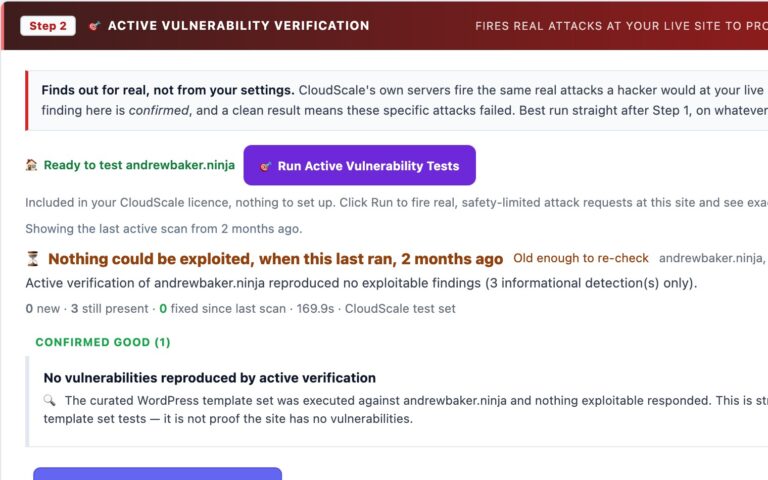
- Active vulnerability verification. A curated CloudScale template set, executed from outside your site, proves whether an exposure is reachable and diffs each scan against the last so you get evidence a fix worked. Version matching cannot do this.
- Passkeys and WebAuthn. Wordfence folded its standalone Login Security plugin into the main plugin in July 2026, but its two-factor support remains TOTP-based; it is notably absent from every 2026 round-up of passkey-capable WordPress 2FA plugins. CloudScale ships email OTP, TOTP, and passkeys, plus a hidden login URL and forced 2FA for administrators.
- External exposure testing. TLS strength, DNS email security (SPF, DMARC, DKIM), PHP end-of-life status, directory listing, and server version header leaks, all probed from the outside. Wordfence never looks at your site from the internet’s perspective.
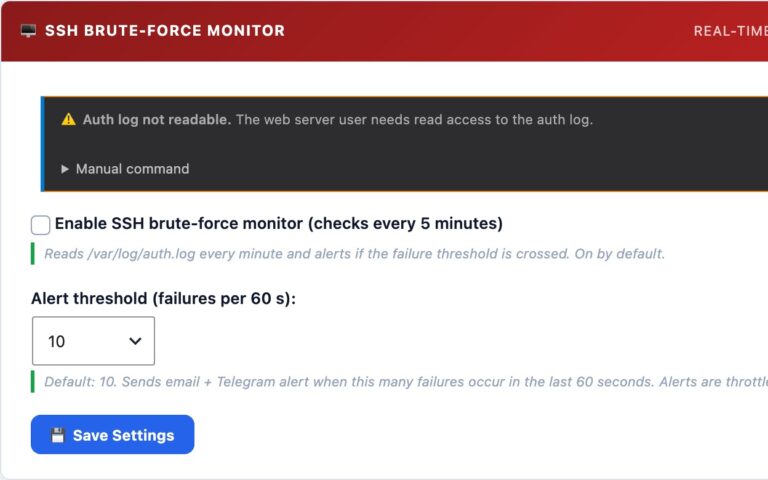
- Server-level visibility beneath WordPress. SSH brute-force monitoring from
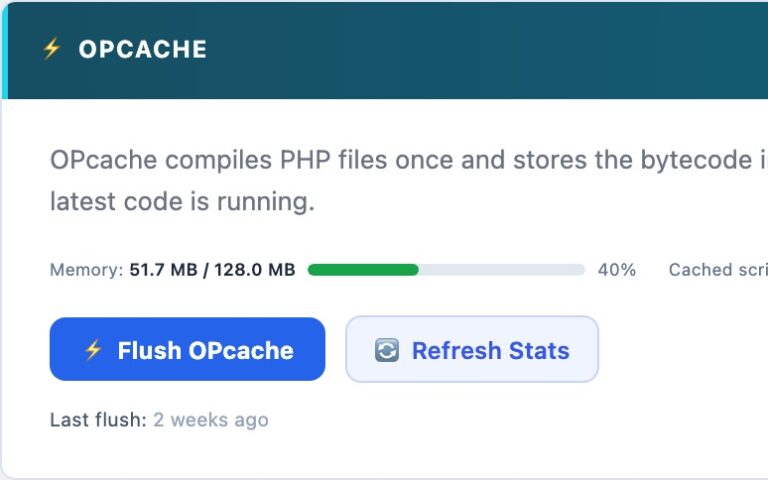
auth.log, a fail2ban installer, disk space, PHP-FPM worker health, OPcache state, and a server log viewer. Wordfence stops at the WordPress boundary. - Content Security Policy management. A policy built from your own site, an Allowed sources field fed by a live violation log, nonce injection, and one-click rollback. Wordfence has no CSP feature at all.
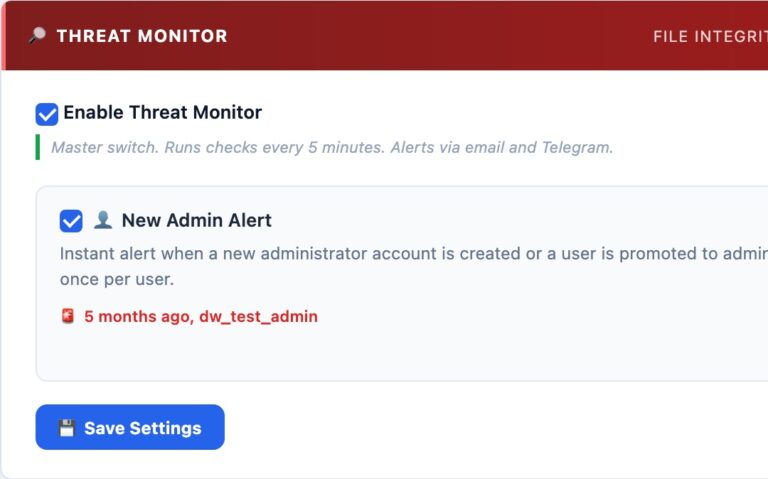
- Alerting that reaches you. Telegram push alongside email. Wordfence alerts by email only.
- An untiered free version overall. CloudScale’s protections are not tiered; the optional paid layer buys managed AI and scanning infrastructure, never a security feature you already had.
- A developer toolkit no security plugin attempts. Syntax-highlighted code blocks with GitHub sync, SMTP with a delivery log, performance monitor, CI test-account manager.
Side by side
So which should you run?
If you want one plugin that blocks attacks and tells you what is actually wrong: run CloudScale. Its firewall, rate limiting, blocklist, shields and automatic blocking stand in front of every request, free, and the audit then removes the weaknesses those attacks are aiming at, so the firewall has less to catch.
If you pay for Wordfence Premium for its research team’s exploit rules or its malware signatures: keep it. Those are the two things CloudScale does not replicate.
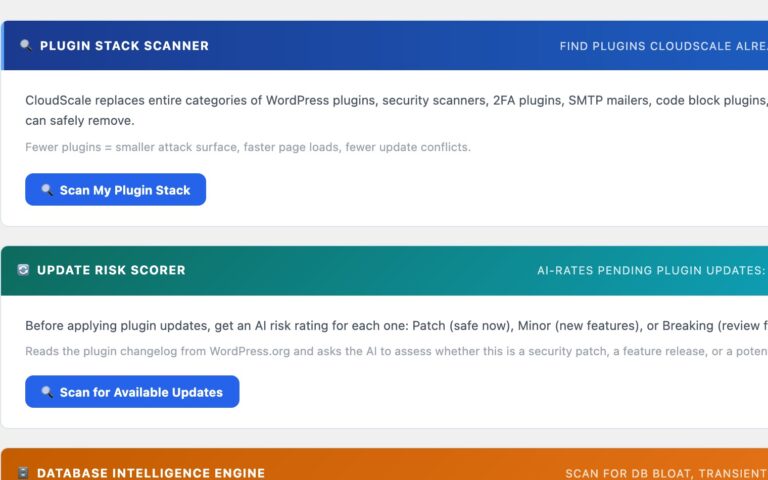
If you run both: they do not conflict, and each inspects every request. That is two firewalls doing overlapping work, which costs a little time per request and buys defence in depth. The plugin’s Stack Scanner deliberately does not tell you to remove Wordfence.
References
- Wordfence Security on WordPress.org, install count and feature list
- Wordfence Login Security, retirement notice and folding of 2FA into the main plugin (July 2026)
- Wordfence two-factor authentication documentation, supported second-factor methods
- Wordfence free vs premium, firewall rule delay and IP blocklist tiering
- Wordfence pricing analysis 2026, premium scanner frequency and pricing
- WordPress 2FA plugin comparison 2026, passkey support across plugins
- wp core verify-checksums, the official core integrity mechanism CloudScale uses
Comparison accurate as of August 2026. Wordfence is a trademark of Defiant, Inc.; this comparison is independent and not endorsed by them. Feature sets change, verify current details against the vendor’s own documentation before deciding.
Ready to protect your site?
Free, open-source, and installed in under 5 minutes. Google Gemini’s free tier means zero cost for daily AI security scans.
Installing the Plugin: Step by Step
The plugin isn’t in the WordPress.org directory yet, so installation takes one extra step compared to a typical plugin. It’s still under five minutes from download to your first security scan.
Download the plugin zip
Click the Download Free Plugin button at the top of this page. Your browser will save a file called cloudscale-devtools.zip. Leave it zipped; WordPress handles the extraction.
Open your WordPress dashboard
Log in to your WordPress site and go to Plugins in the left sidebar. At the top of the page, click Add New Plugin, then click the Upload Plugin button that appears near the top of the screen.
Upload and install
Click Choose File, select the cloudscale-devtools.zip file you just downloaded, then click Install Now. WordPress uploads and unpacks the plugin in a few seconds.
Activate
After installation, WordPress shows you a success screen with an Activate Plugin button. Click it. The plugin is now running.
Open the plugin
In the WordPress sidebar, go to Tools → Cyber and Devtools. You’ll land on the Home dashboard showing your current security posture at a glance.
Run your first security scan
Click the Security tab. If you don’t have an API key yet, click the link to get a free Google Gemini key (see the AI setup guide in this page’s Security section). Paste it in, click Save, then hit Run AI Cyber Audit. Your first report appears in about 30 seconds.
Requirements: WordPress 6.0 or later, PHP 7.4 or later. Works on shared hosting, VPS, and managed WordPress hosting (WP Engine, Kinsta, Cloudways, etc.). Does not require SSH access or command-line tools.
Safe to try: what CloudScale does not do
- Does not modify any existing plugin settings or post content
- No external CDN or third-party script dependencies, everything runs on your own server
- Your site data goes direct to the AI provider API you choose; CloudScale never sees it
- Fully open-source, every line of code is on GitHub and auditable by anyone
- Clean uninstall: removes all plugin data from the database on deletion, no pollution
- Does not conflict with existing security plugins, runs alongside Wordfence, iThemes, etc.
Before you start hardening anything: take a backup. The Quick Fixes in this plugin modify wp-config.php, database tables, and server configuration. In the unlikely event something goes wrong, you want a restore point. The free CloudScale Backup and Restore plugin does one-click full-site backups (database + files) to local storage or cloud. Five minutes now saves hours later.
🛡️ Security
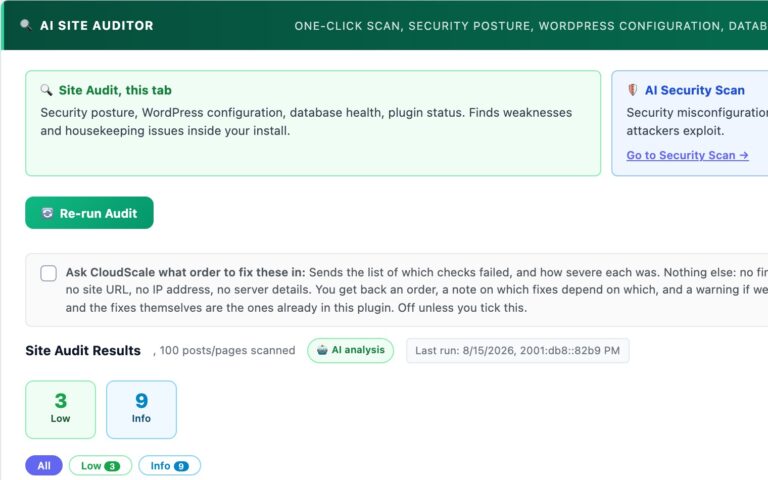
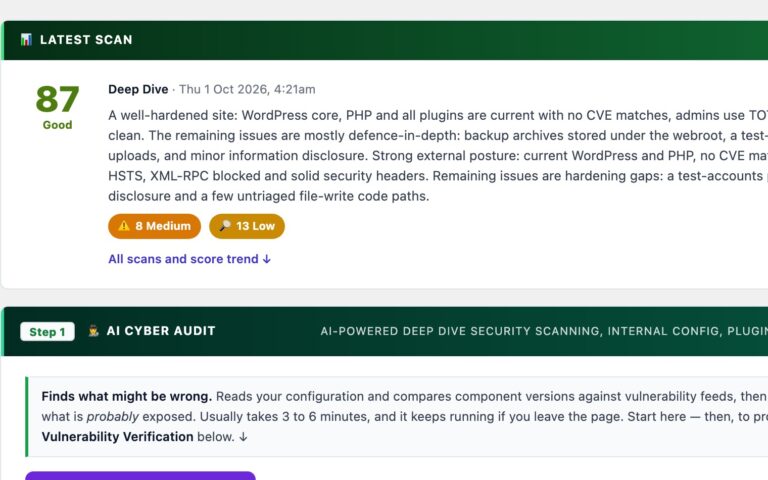
- AI Cyber Audit: scored security report in under 60 seconds using Claude or Gemini
- Deep Dive Scan: HTTP probes, DNS checks, TLS, PHP code analysis
- Quick Fixes: one-click hardening for common misconfigurations
- SSH Brute-Force Monitor: reads auth.log every 60 seconds, alerts on 10+ failures
- Scheduled Scans: daily/weekly background scans with email & push alerts
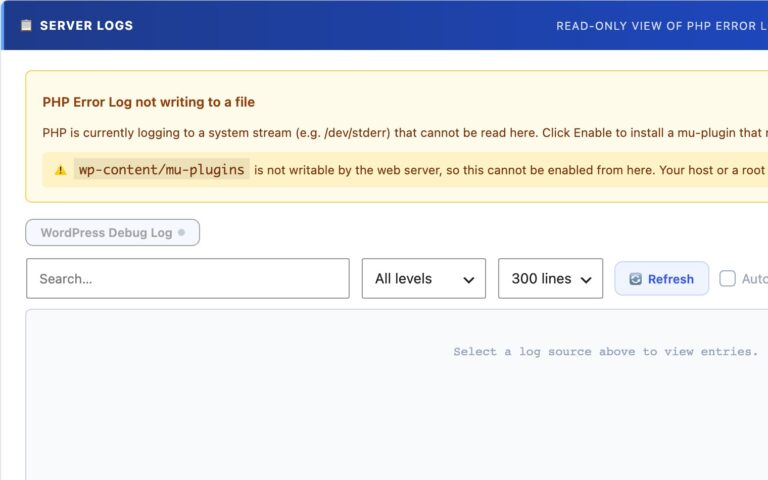
- Server Logs: read PHP, WordPress and web server logs in-browser
🔐 Login Security
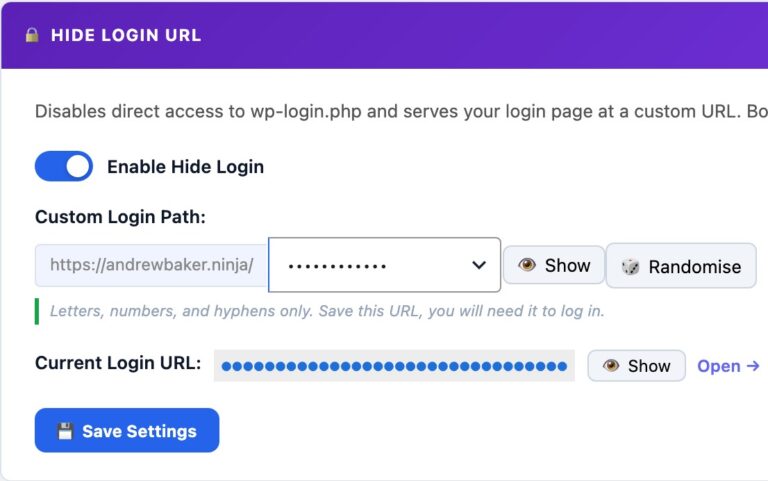
- Hide Login URL: move /wp-login.php to a secret slug
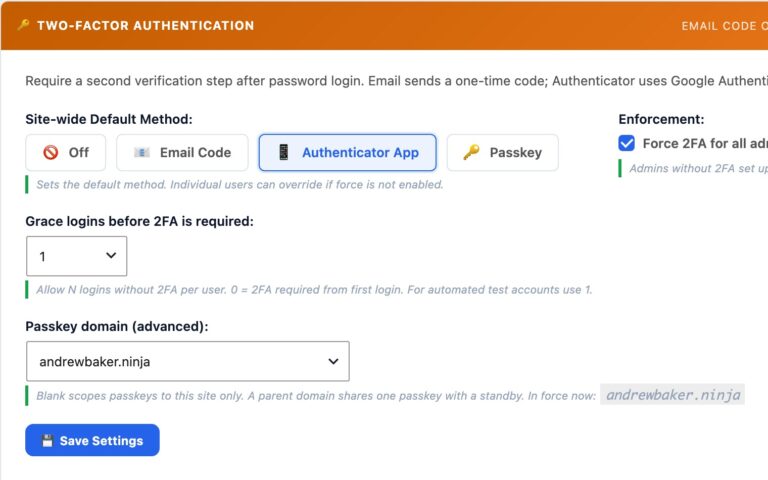
- Two-Factor Authentication: email OTP, TOTP (authenticator app), or passkeys
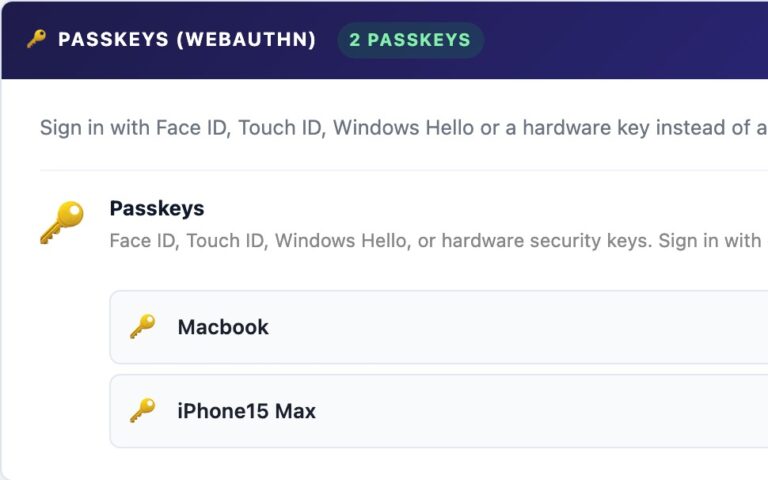
- Passkeys (WebAuthn): Face ID, Touch ID, Windows Hello, YubiKey
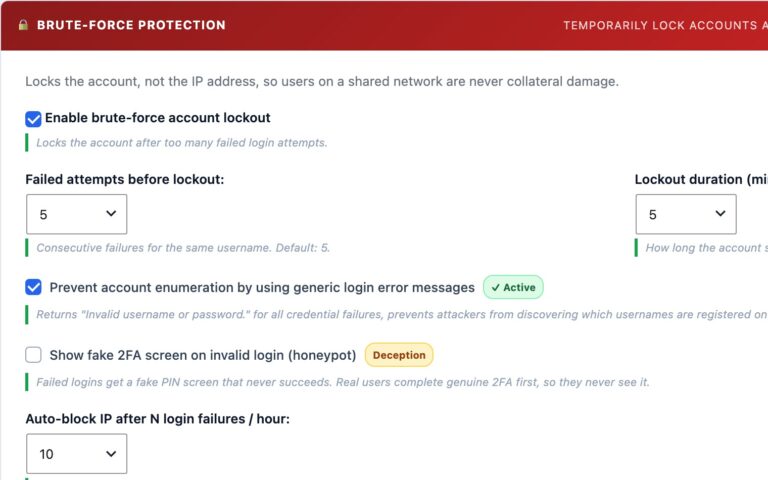
- Brute-Force Protection: per-account lockout after N failed attempts
- Force 2FA for admins: block dashboard access until 2FA is set up
🛠️ Developer Tools
- Mermaid diagrams, NEW: write a flowchart, sequence diagram or Gantt chart as text, readers see the finished diagram
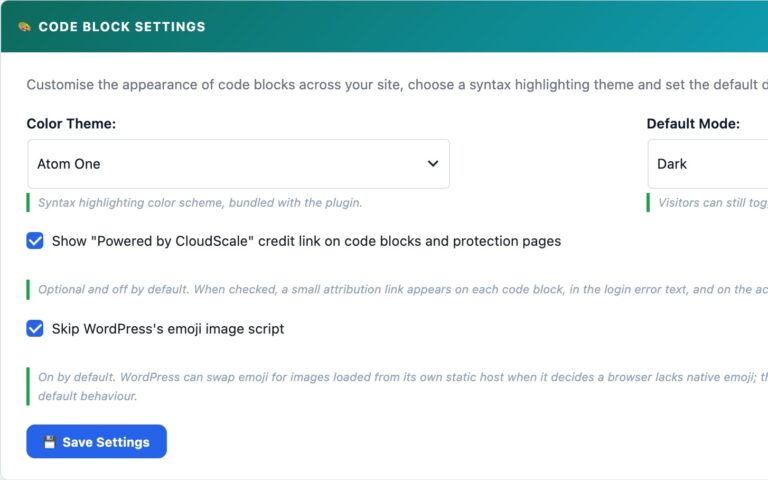
- Syntax-highlighted Code Block: 37 languages, 14 themes, bundled locally
- Code Block Migrator: batch-convert blocks from other plugins
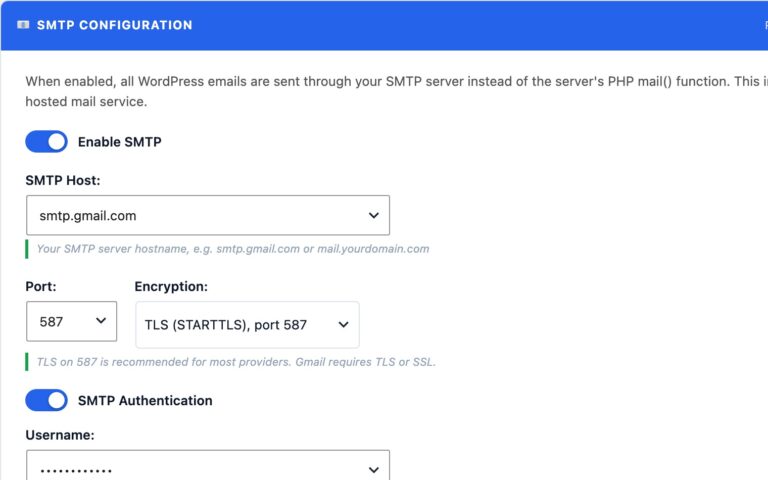
- SMTP Mail: replace PHP mail() with authenticated SMTP
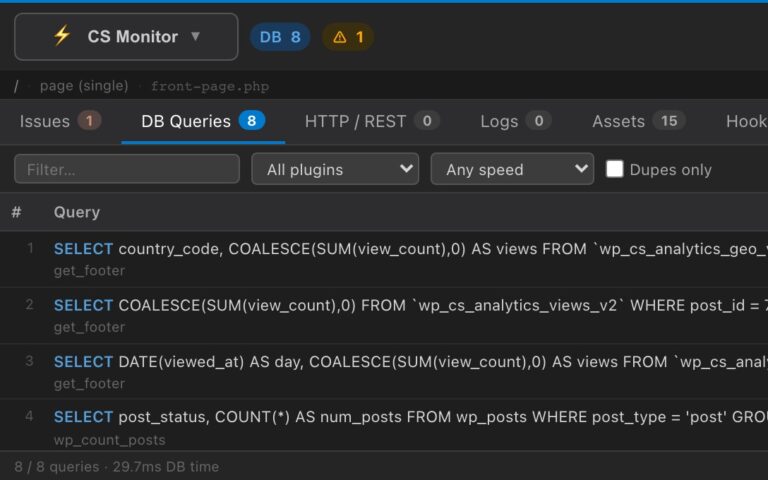
- CS Monitor: floating overlay showing DB queries, hooks, HTTP calls, assets, and PHP errors on every page
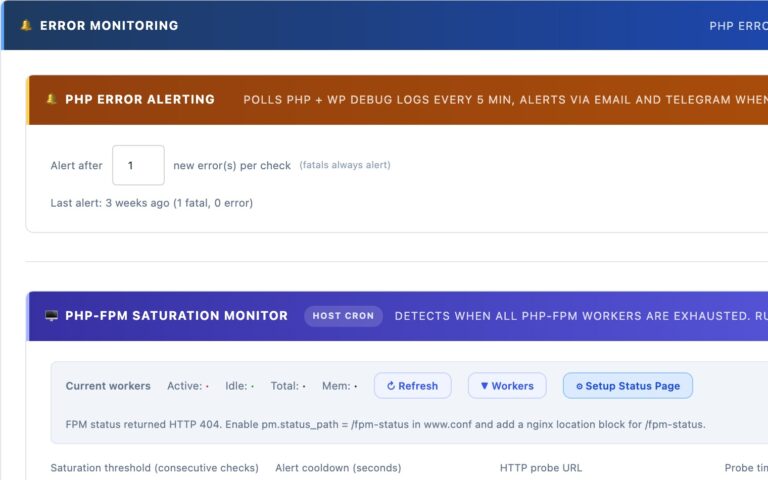
- PHP-FPM Monitor: live worker status, saturation alerts, and optional auto-restart from the host OS
- Custom 404 Page: branded 404 with 7 playable mini-games and leaderboard
What’s Covered Below
- Hide Login URL setup and how it works
- Two-Factor Authentication and enforcement
- Passkeys registration and browser support
- AI Cyber Audit with full API key setup guides
- Code Block Mermaid diagrams, themes, languages, and usage
- Server Logs viewer and tail mode
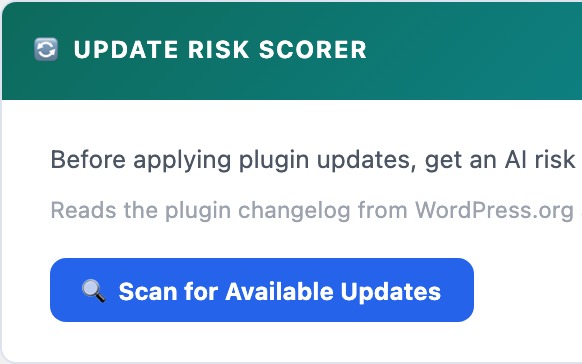
- Plugin Optimizer, plugin stack scanner and AI debugging
- CS Monitor, per-page performance overlay for admins
- PHP-FPM Monitor, live worker status and saturation alerting
Who CloudScale Is For
For Developers
You manage multiple client sites. You need a server log viewer, syntax-highlighted code blocks, and SMTP in one place, not several separate plugins to install, configure, and update on every new site.
CloudScale gives you the full dev toolkit. The AI audit means every client site gets enterprise-grade security analysis at zero cost to you or them.
For Site Owners
You run a WooCommerce store or a content site. Security isn’t your day job, but getting hacked would be catastrophic. You need protection that works without requiring you to understand every CVE or hardening flag.
Run the AI audit once. Work through Quick Fixes. Enable 2FA. You’re done, and better protected than most sites paying $300/year for plugin subscriptions.
For Agencies
You deploy sites for clients. Every additional plugin is a support burden, a potential conflict, and an update to manage across dozens of installs. Your clients ask why their security isn’t working and you’re the one who has to answer.
CloudScale replaces the entire standard stack in one install. One plugin to update, one changelog to read, one place to look when something goes wrong.