← CloudScale Plugin Help/CloudScale Cyber and Devtools: Free WordPress Security, AI Penetration Testing & Developer Toolkit
SQL Query Tool
A read-only SQL query interface inside wp-admin, inspect tables, check row counts, trace slow queries, and find database bloat without phpMyAdmin, SSH access, or exposing your database port. Architecturally impossible to delete or modify data.
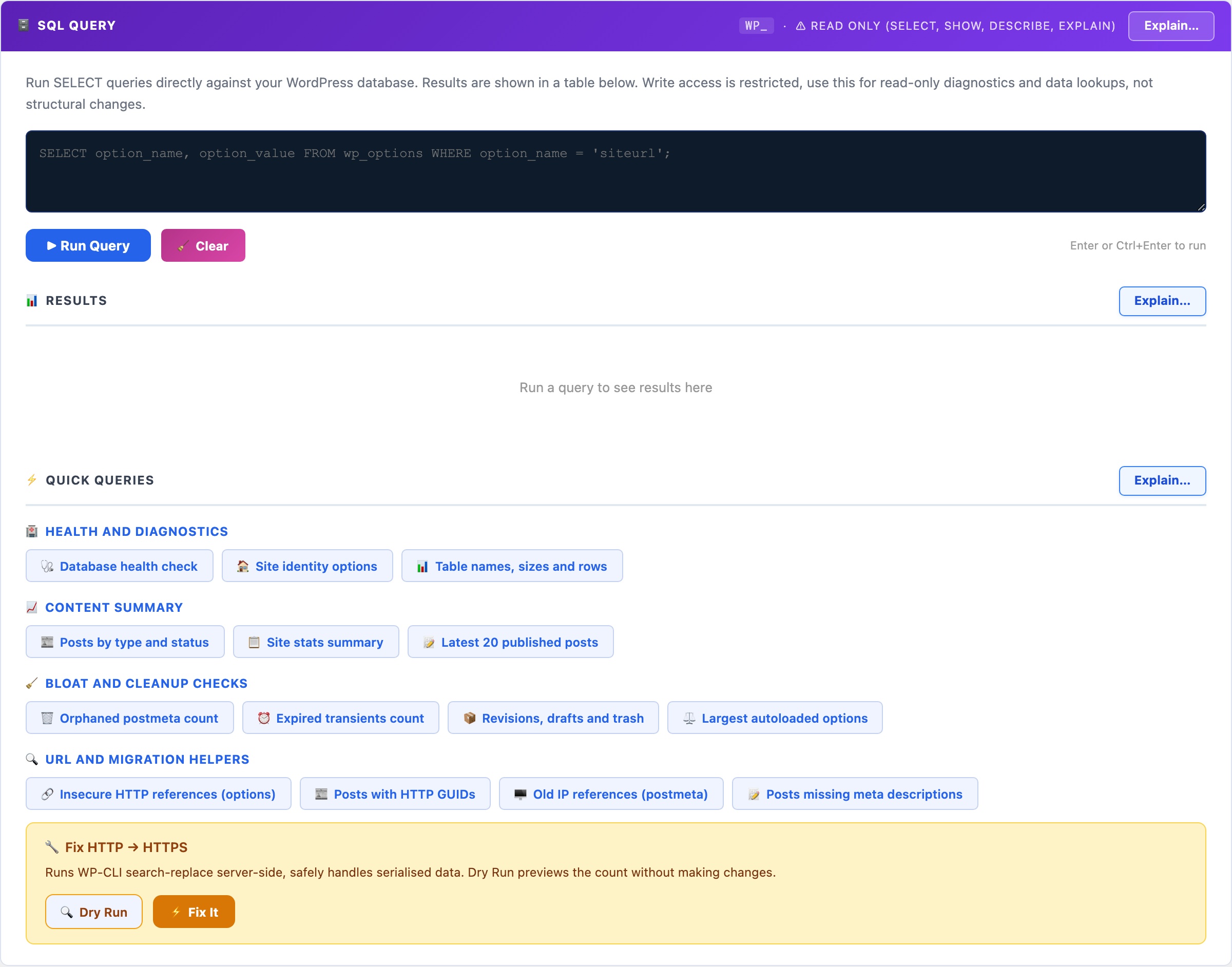
🗄️ Query Your Live Database Safely, Without phpMyAdmin or SSH
phpMyAdmin is powerful but complex to install securely, and leaving it exposed is a serious vulnerability. Adminer is a single PHP file that attackers actively scan for. Desktop tools like TablePlus require you to open a database port to your laptop. For WordPress administrators who just need to check table sizes, find orphaned data, or troubleshoot a slow query, those options are overkill or a security liability.
CloudScale’s SQL tool lives inside wp-admin, accessible only to administrators, and is read-only by design. It is architecturally impossible to delete or modify data through it. No separate installation, no open ports, no exposed files.
Read-only enforcement: Every query passes through is_safe_query() which strips comments, rejects semicolons (blocking statement stacking), blocks INTO OUTFILE and LOAD_FILE, and only permits SELECT, SHOW, DESCRIBE, EXPLAIN. Even if an administrator tries to run a destructive query, it is rejected before reaching the database.
14 built-in quick queries cover the most common diagnostic tasks without writing a single line of SQL:
- Health & Diagnostics: database status, site options, table sizes and row counts
- Content Summary: posts by type and status, latest published content
- Bloat & Cleanup: orphaned postmeta, expired transients, revisions, largest autoloaded options (the most common cause of slow WordPress admin)
- URL & Migration Helpers: HTTP references (for HTTP→HTTPS migrations), posts with old IP references, posts missing meta descriptions
Keyboard shortcuts: Enter or Ctrl+Enter runs the query. Shift+Enter inserts a newline for multi-line queries.