← CloudScale Plugin Help/CloudScale Cyber and Devtools: Free WordPress Security, AI Penetration Testing & Developer Toolkit
WordPress Dashboard Widget
A security summary widget on the WordPress admin dashboard showing your AI scan score, critical/high finding counts, failed login attempts, and the status of all key security controls, at a glance, without opening the plugin.
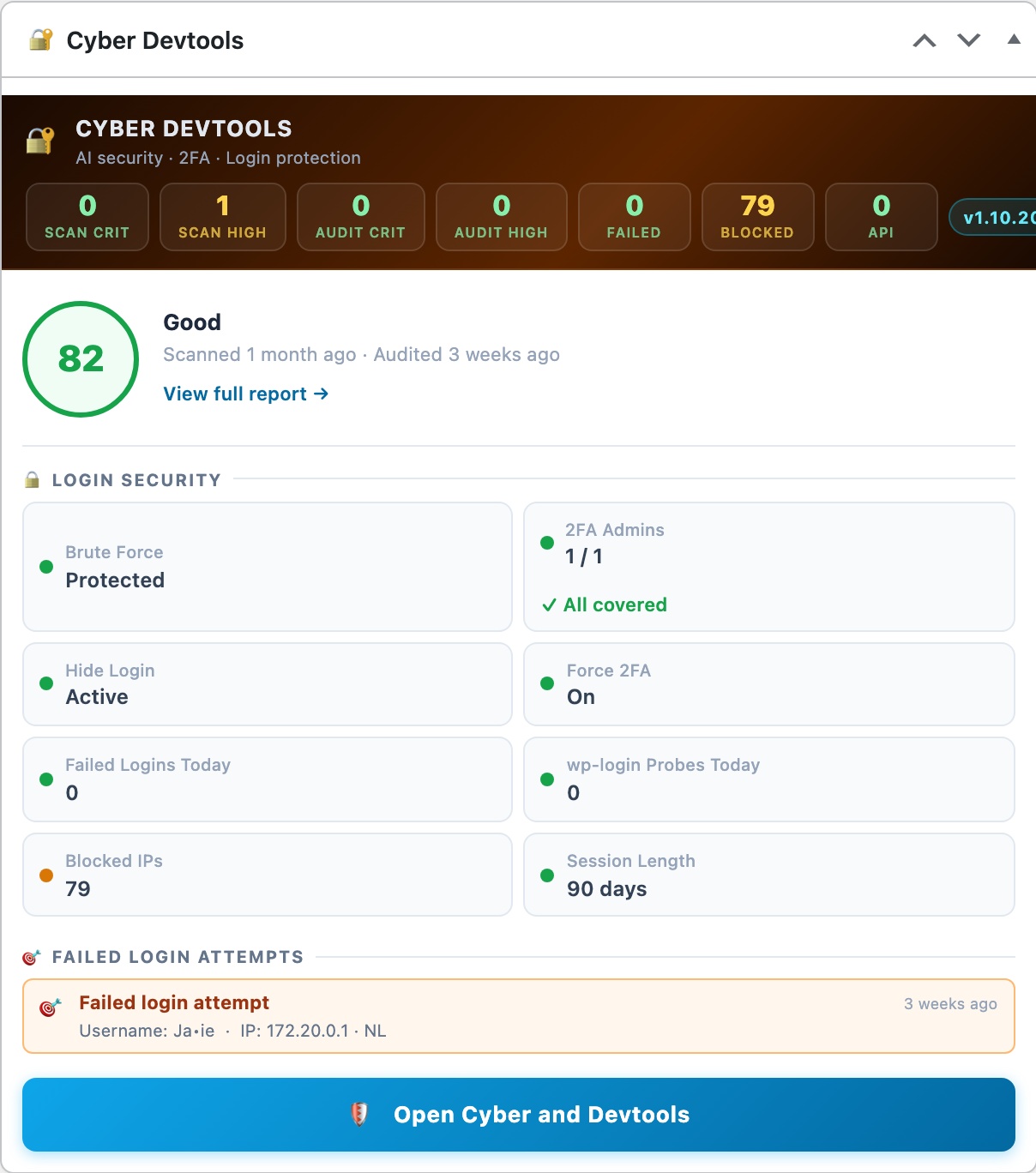
Once installed, CloudScale Cyber Devtools adds a 🔐 Cyber Devtools widget to your WordPress admin dashboard at Dashboard → Home. It shows your complete security posture at a glance without navigating to the plugin.
Widget Layout
The redesigned widget uses a dark gradient header band with colour-coded alert pills, a score ring, and a chip grid for login security details.
- Dark header band: shows the plugin name and sub-heading alongside alert pills for Critical issues (red), High issues (yellow), Failed logins today (red when non-zero), and Blocked IPs (yellow when non-zero). A version badge shows the installed plugin version.
- Score ring + hero meta: a large circular badge shows the AI Cyber Audit score (0 to 100), colour-coded green ≥ 75, amber ≥ 55, red below 55. Next to it: the score label (e.g. “Excellent”), how long ago the last scan ran, how long ago the last Site Audit ran, and a “View full report →” link.
- Login Security chip grid: eight compact chips showing the live status of every login protection control, Brute Force (on/off), 2FA Admins (n/total), Hide Login (slug/off), Force 2FA (on/off), Failed Logins Today, wp-login Probes Today, Blocked IPs count, and Session Length. Each chip has a green/amber/red dot reflecting its current state.
- CTA button: a gradient purple button at the bottom links to the plugin’s Security tab.
The widget is visible only to manage_options administrators. All data is read directly from WordPress options, no extra HTTP requests on load.