← CloudScale Plugin Help/CloudScale Cyber and Devtools: Free WordPress Security, AI Penetration Testing & Developer Toolkit
SMTP Mailer
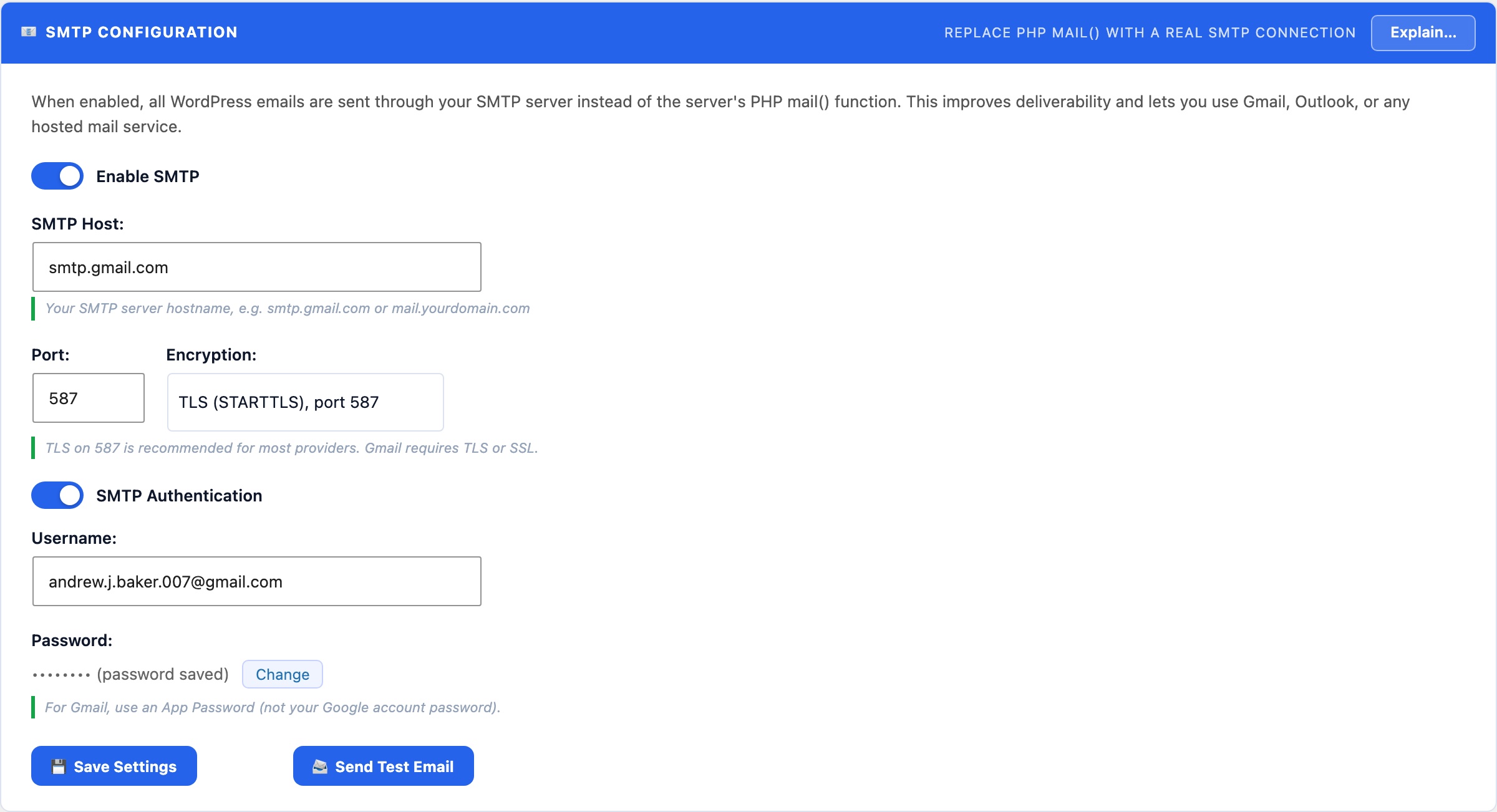
Replaces WordPress’s unreliable PHP mail() function with authenticated SMTP delivery. Supports Gmail, Outlook, Amazon SES, Mailgun, and any standard SMTP server. Includes a test-send button and a persistent activity log showing every outgoing message with delivery status.
📧 Stop Losing Emails to the Spam Folder
By default, WordPress sends email via PHP’s mail() function. Email sent this way, directly from your server’s IP with no authentication, is rejected by Gmail, Outlook, and most modern mail services, or silently dropped into spam. Authenticated SMTP delivery solves this permanently.
Once configured, all WordPress email goes through your SMTP server: WooCommerce order confirmations, password reset links, admin notifications, CloudScale scan alerts, 2FA OTP codes, and any plugin that calls wp_mail(). No code changes required anywhere else.
Supported providers
- Gmail (Google Workspace): use an App Password (not your account password). Enable 2-Step Verification in your Google account first, then go to Google Account → Security → App passwords → create one for “Mail”. Host:
smtp.gmail.com, Port:587, Encryption: TLS. - Outlook / Microsoft 365: Host:
smtp.office365.com, Port:587, Encryption: TLS. Use your full email address as the username. - Amazon SES: create SMTP credentials in the SES console (IAM user with SMTP permissions). Host varies by region, e.g.
email-smtp.us-east-1.amazonaws.com, Port:587. - Mailgun, SendGrid, Postmark: use the SMTP relay settings provided in your account dashboard. All use standard SMTP with API key as the password.
- Custom SMTP server: enter your host, port, encryption type, username, and password directly.
Test before you save
Use the Send Test Email button to confirm delivery before saving. The test sends a real email to your WordPress admin address. Check the Email Log tab if you don’t receive it within a few minutes, the log shows whether the send was attempted and what error (if any) was returned.