← CloudScale Plugin Help/CloudScale Cyber and Devtools: Free WordPress Security, AI Penetration Testing & Developer Toolkit
Threat Monitor
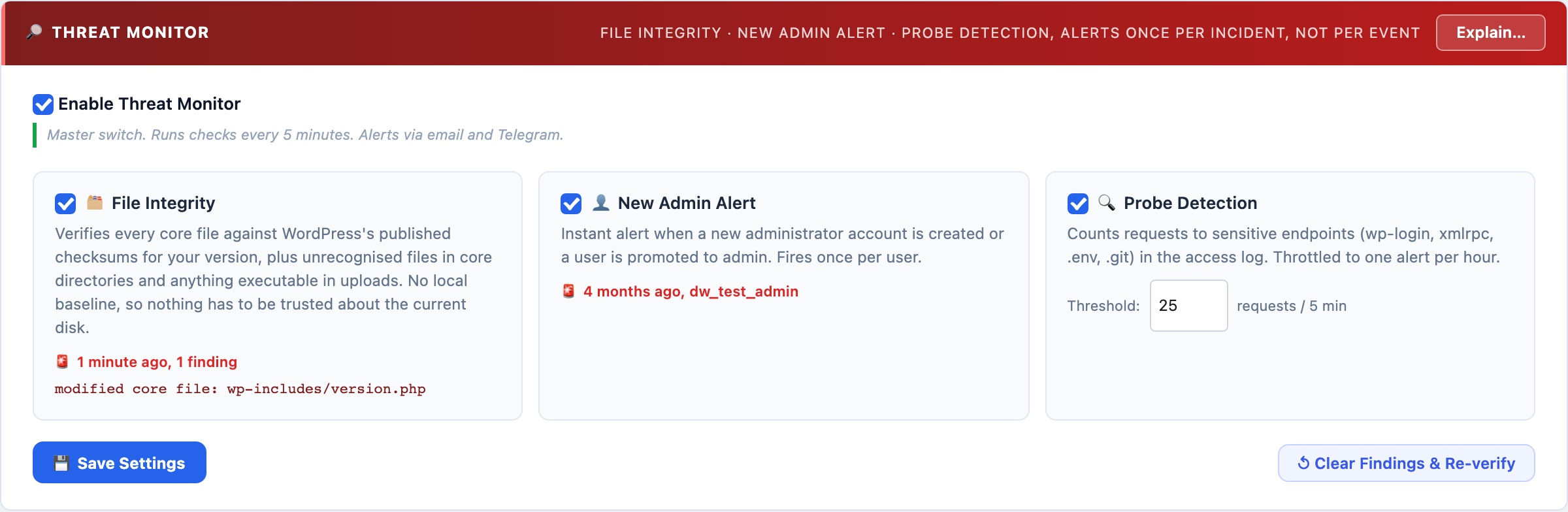
Runs three passive background checks every 5 minutes: file integrity monitoring (detects unexpected changes to WordPress core files), new administrator alerts (fires the instant an admin account is created or promoted), and web probe detection (counts requests to sensitive endpoints and alerts on sudden spikes).
🔎 Passive Threat Detection That Runs While You Sleep
The AI Cyber Audit gives you an on-demand snapshot. The Threat Monitor runs in the background 24/7, watching for the specific events that indicate an active compromise: a core file being modified, a new admin account appearing, or a wave of probe requests hitting your login page.
File Integrity Monitor
Scans wp-includes/*.php and wp-admin/*.php every 5 minutes and compares file modification times against a baseline. If any file changes outside of a WordPress core update, you get an immediate alert. This catches the most common post-compromise action: a backdoor dropped into a core PHP file.
Anti-spam: the baseline is rebuilt silently when WordPress updates (all core files change legitimately during updates). The same modification timestamp is never alerted twice. After a manual code change you authored, click Reset File Baseline to clear the alert state.
New Administrator Alert
Fires the instant a WordPress user is created with the Administrator role, or an existing user is promoted to Administrator. Attacker privilege escalation, gaining admin access, is a critical step in most WordPress compromises. This alert catches it the moment it happens rather than during the next scheduled audit.
Anti-spam: each user ID is alerted exactly once. Acknowledging the alert (or adding the user legitimately) prevents repeated notifications for the same account.
Web Probe Detection
Reads the web server access log (byte-offset tracking, so only new entries are processed each check). Counts requests to sensitive endpoints: wp-login.php, xmlrpc.php, wp-config.php, .env, .git/, and shell-injection patterns. When the count exceeds the threshold (default: 25 in 5 minutes), an alert fires. Throttled to at most once per hour to prevent alert floods during sustained scans.