← CloudScale Plugin Help/CloudScale Cyber and Devtools: Free WordPress Security, AI Penetration Testing & Developer Toolkit
SSH Brute-Force Monitor
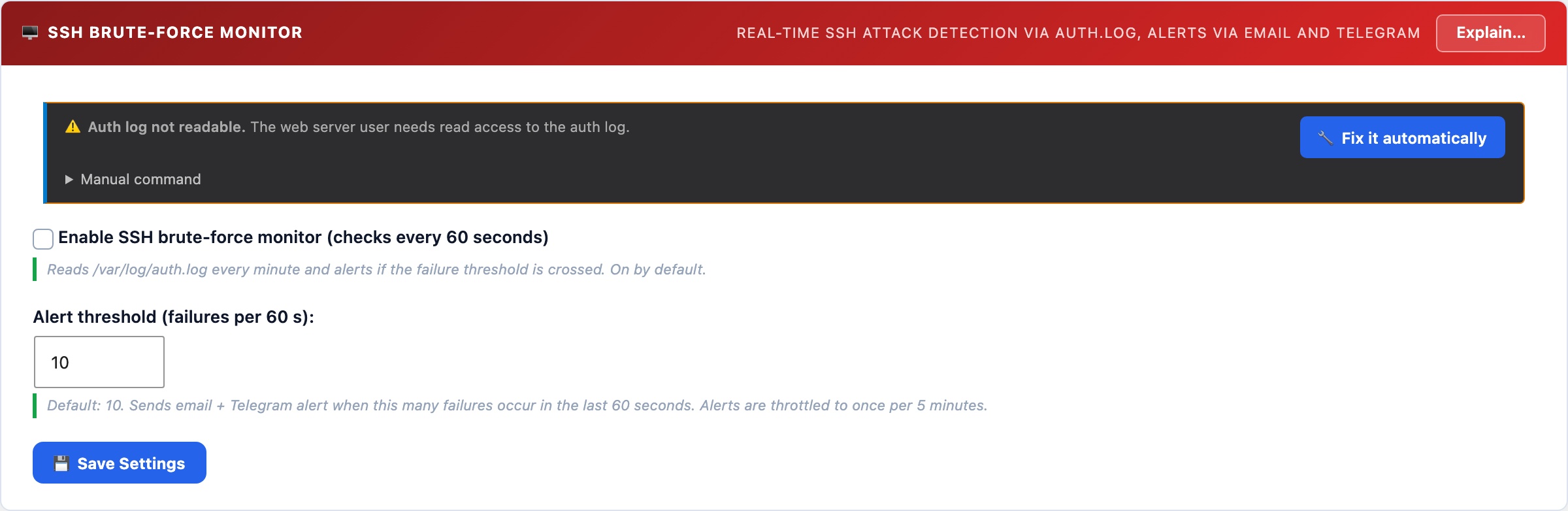
Reads your server’s auth.log every 60 seconds to count SSH failed login attempts. When the count exceeds your threshold in a rolling window, it fires an instant alert via email and push notification. Works alongside fail2ban, this plugin detects and alerts; fail2ban does the blocking.
🖥️ Know the Moment Your SSH Port Is Under Attack
A server with SSH port 22 open to the internet will be targeted by automated scanners within minutes of going online. Most sites never know they’re under attack because these attempts are silent unless you’re watching the auth log. The SSH monitor brings that visibility to your WordPress dashboard.
The monitor tails /var/log/auth.log via an AJAX poll every 60 seconds. It counts Failed password and Invalid user entries in a rolling time window. When the count exceeds your threshold, an alert fires to your configured email and ntfy.sh topic. Alerts are throttled to once per 5 minutes to prevent notification floods during sustained attacks.
Setup
- The monitor requires the web server user (
www-data) to be able to read/var/log/auth.log. If the panel shows a warning, run:sudo usermod -a -G adm www-data && sudo systemctl restart php-fpm - Set your alert threshold, default is 10 failures in 60 seconds. This is calibrated to avoid false positives from a user mistyping their password, while catching any automated scanner instantly.
- Save settings. The monitor polls automatically from then on.
Detection vs. Blocking: use fail2ban alongside this
The SSH Monitor detects attacks and alerts you. It does not block IPs. For automatic IP blocking, install fail2ban:
sudo apt install fail2ban && sudo systemctl enable fail2ban
With fail2ban’s default configuration, an IP is banned for 10 minutes after 5 failed SSH attempts. The CloudScale monitor shows you when attacks are happening at a volume that exceeds even fail2ban’s tolerance, a sign that you’re under a sustained, distributed attack that warrants additional action (firewall rules, port change, or contacting your hosting provider).