← CloudScale Plugin Help/CloudScale Cyber and Devtools: Free WordPress Security, AI Penetration Testing & Developer Toolkit
Passkeys (WebAuthn)
Replace passwords entirely with biometric login: Face ID, Touch ID, Windows Hello, or a hardware security key. Passkeys are cryptographically bound to your exact domain, unlike TOTP codes, they cannot be phished by a fake login page.
🪪 The Most Secure WordPress Login Method Available. And It’s Free.
Even TOTP codes can be phished: a fake login page captures your password and OTP code in real time and replays them instantly. Passkeys cannot be phished this way. They are cryptographically bound to your site’s exact domain; a fake domain simply cannot trigger your passkey. This is the authentication standard used by Apple, Google, and Microsoft for their own products, now available for your WordPress site at no cost.
Most WordPress passkey plugins don’t exist as free products. The handful that do charge $50 to $100/year for a commercial FIDO2 implementation. CloudScale’s passkey support is a full WebAuthn/FIDO2 implementation, open-source, and completely free.
How it works: When you register a passkey, your device generates a public/private key pair. The private key never leaves your device. At login, your server sends a random challenge; your device signs it with the private key; the server verifies the signature against your stored public key. No secret is ever transmitted over the network.
Supported authenticators: Face ID (iPhone, iPad, Mac), Touch ID (MacBook), Windows Hello (fingerprint, face, PIN), Android biometrics, and hardware security keys (YubiKey 5 series, Google Titan, etc.).
Registering a passkey:
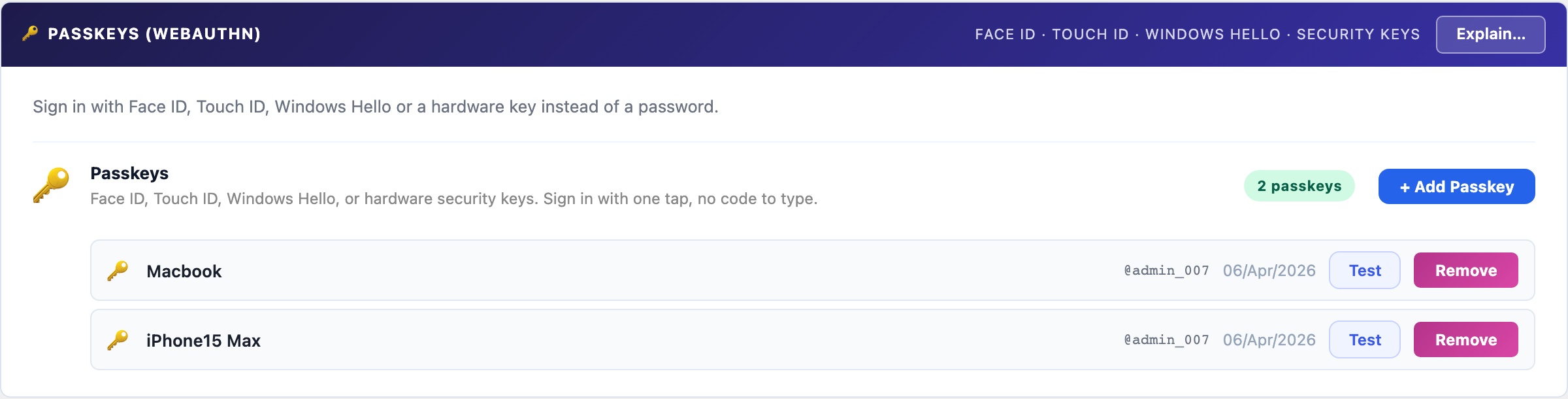
- Click + Add Passkey and give it a label (e.g. “iPhone 16 Pro”, “YubiKey”).
- Click Register and your browser will prompt for biometric confirmation or a hardware key tap.
- The passkey is saved to your account. Register one per device you log in from.
Browser support: Chrome 108+, Safari 16+, Edge 108+, Firefox 122+. If a browser doesn’t support passkeys, the login flow falls back to email OTP automatically, so no user is ever locked out.