← CloudScale Plugin Help/CloudScale Cleanup, Free WordPress Database Cleaner, Image Optimizer & Cron Manager
Database Cleanup
Why CloudScale Cleanup?
WordPress databases grow silently. Post revisions, expired transients, spam comments, orphaned metadata, and unused term relationships accumulate over months and years. On a busy site the database can balloon to 10× its necessary size, slowing every query and inflating every backup.
WP-Optimize locks most of its cleanup options behind a $39/year paywall. Advanced Database Cleaner charges $49/year. CloudScale Cleanup does everything they do, and adds media library orphan detection, image optimisation, and cron management, at zero cost.
Every operation has a dry-run preview mode. You see exactly what will be deleted before anything is removed. No data leaves your server.
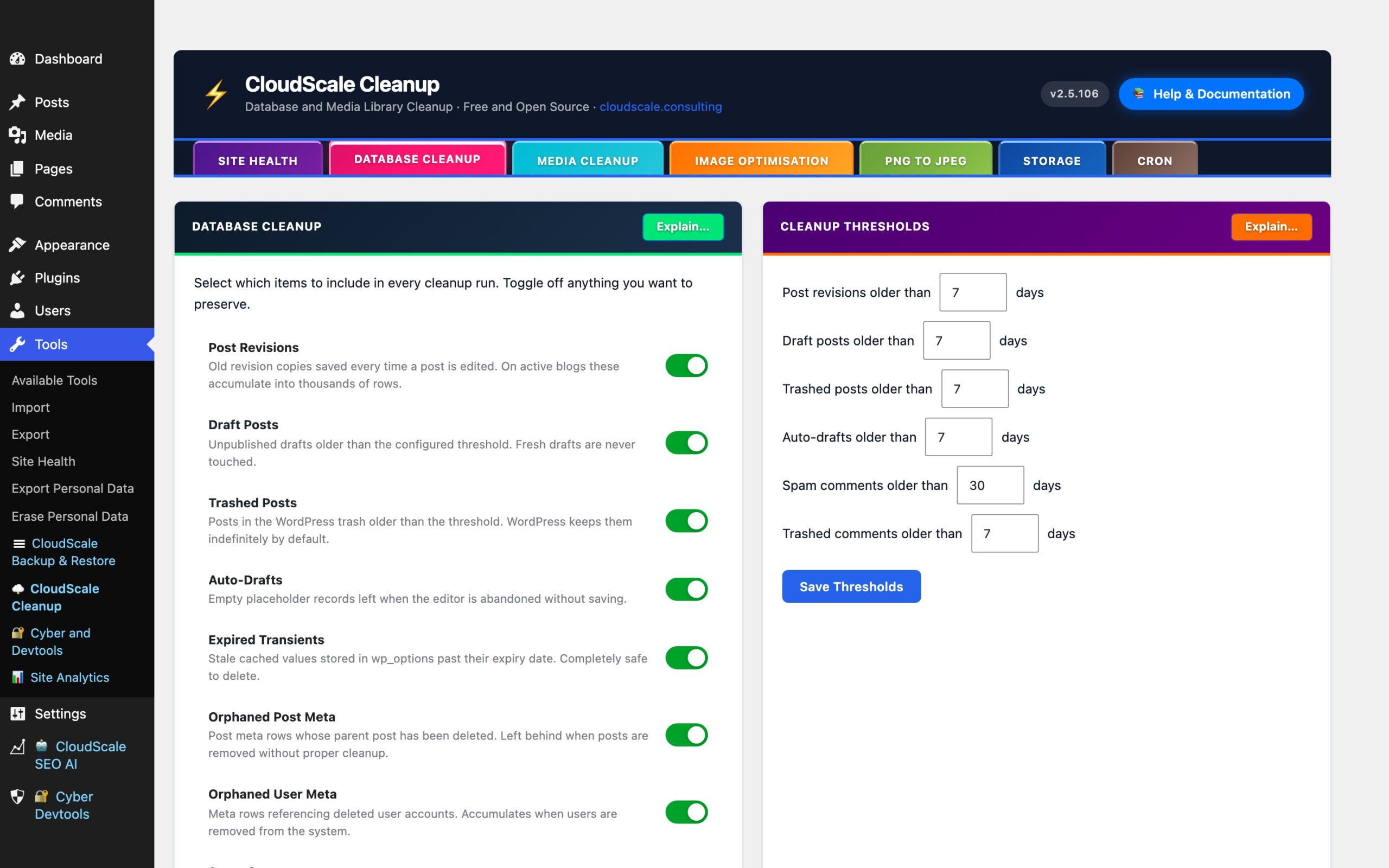
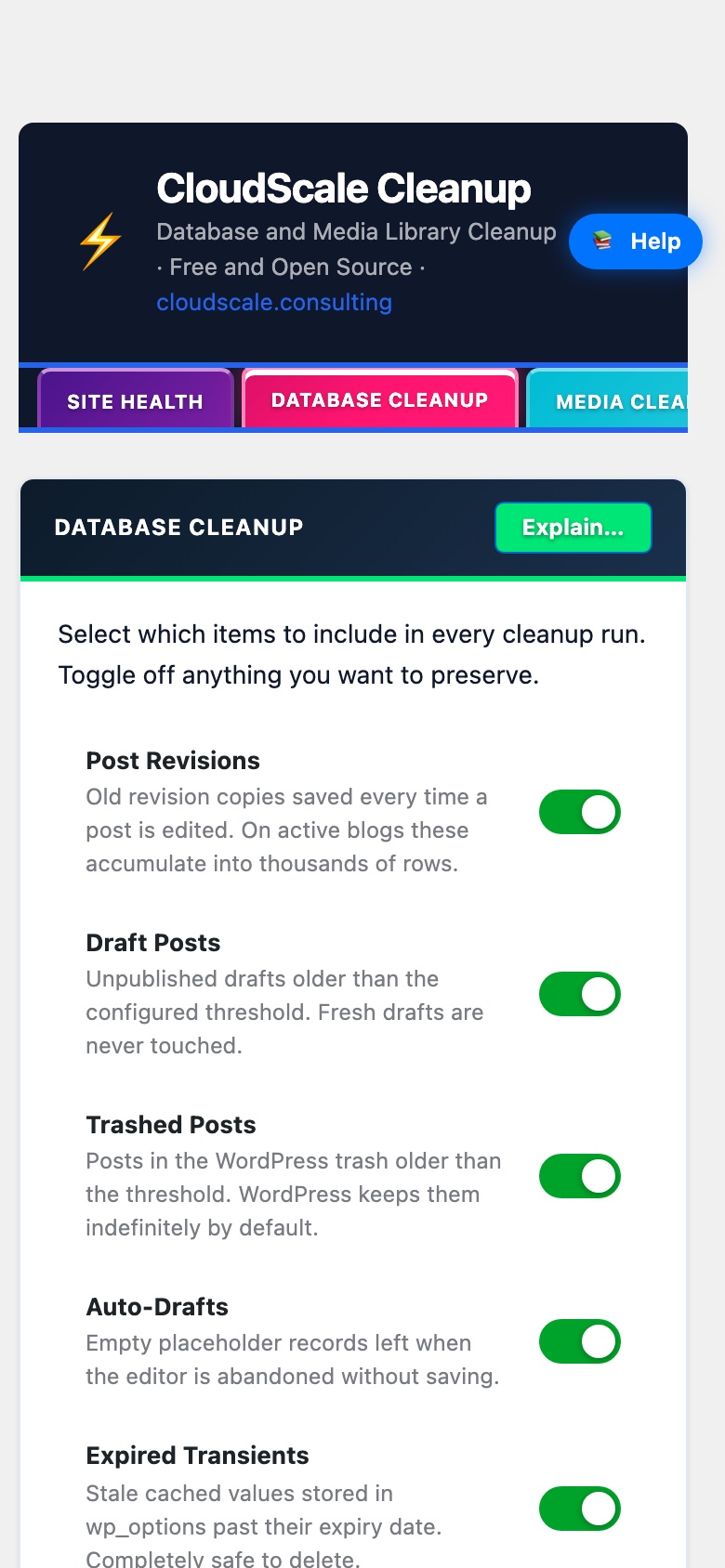
The Database Cleanup tab contains four panels, each targeting a different category of database bloat. Use the Explain… button in each panel header to get a description of every item type.
Main Cleanup
Removes accumulated junk rows from your WordPress database that slow down queries and inflate backup sizes. On a WordPress site with 3 to 5 years of active editing, these items routinely account for 30 to 70% of total database size.
Always run Dry Run first. It shows exactly what will be deleted (with row counts per category) without making any changes. Cleanup then runs in batches of 50 rows per AJAX request, with the remaining queue stored in a transient between requests, so no single PHP request can time out regardless of how much data needs processing.
Item types and the database tables affected:
- Post revisions (
wp_postswherepost_type = 'revision', pluswp_postmeta), WordPress saves a revision on every manual save and autosave. A single post edited 50 times generates 50 revision rows. A configurable age threshold controls which revisions are eligible; fresh revisions are never touched. - Draft posts (
wp_postswherepost_status = 'draft'), posts saved as drafts but never published. Age threshold configurable; recent drafts are protected. - Trashed posts (
wp_postswherepost_status = 'trash'), content moved to the Trash. WordPress does not auto-purge trash by default. - Auto-drafts (
wp_postswherepost_status = 'auto-draft'), created by Gutenberg every time you open the Add New Post screen. Accumulate invisibly with no user action required. - Spam comments (
wp_commentswherecomment_approved = 'spam'), high-traffic sites accumulate tens of thousands. - Trashed comments (
wp_commentswherecomment_approved = 'trash'). - Expired transients (
wp_optionsrows matching_transient_timeout_%whose value is in the past, plus their corresponding_transient_%rows), on sites using a persistent object cache (Redis, Memcached) transients are stored there instead; this cleanup is a no-op in that case. - Orphaned post meta (
wp_postmetarows whosepost_idno longer exists inwp_posts), generated when posts are force-deleted without triggering the standard WordPress delete hook. - Orphaned user meta (
wp_usermetarows whoseuser_idno longer exists inwp_users), accumulates when users are removed directly from the database rather than through WordPress.
Each item type has an independent toggle, green means included in the next run, grey means skipped. Toggle states are saved and respected by both Dry Run and the actual cleanup. All output appears in the Database Console: a dark terminal panel at the bottom of the tab that logs every step with row counts. Use Copy to export the full log.
Cleanup Thresholds
Every time-based item type has a configurable age cutoff in days. Items newer than the threshold are never touched, even if their status would otherwise qualify them for deletion. Defaults are conservative:
- Post revisions: 30 days
- Draft posts: 90 days
- Trashed posts: 30 days
- Auto-drafts: 7 days
- Spam comments: 30 days
- Trashed comments: 30 days
Adjust these to match your workflow, then click Save Settings.
Autoloaded Options
WordPress loads every row in wp_options marked autoload = yes on every page request, including pages that never use those values. Plugins add rows here for caching and configuration but often forget to clean up expired or stale entries. On a site with many installed plugins, autoloaded data can reach 500 KB, 2 MB, adding measurable overhead to every single request.
The panel shows the current autoload size with a RAG badge (green = healthy, amber = elevated, red = excessive) and lists the largest individual rows by size.
What the cleanup does:
- Deletes expired transients, removes transient rows whose timeout has already passed. Identical to the main cleanup’s transient deletion but scoped specifically to autoloaded rows.
- Disables autoload on live transients, transient rows that haven’t yet expired don’t need to be autoloaded. WordPress fetches them on demand when a plugin calls
get_transient(). Settingautoload = noremoves them from the per-request payload without deleting any data or breaking any plugin.
This cleanup is non-destructive, no valid plugin data is removed or altered. Run Dry Run, Preview first to see the current size breakdown before applying.
Orphaned Plugin Options
When a plugin is deleted without a proper uninstall routine, its configuration rows remain in wp_options forever, including autoloaded rows that bloat every page request. WordPress never removes these automatically.
The Orphaned Plugin Options panel scans wp_options using prefix matching against a built-in list of known plugin slugs. Rows whose option name prefix matches a plugin that is no longer installed are flagged. Results appear as a checklist, rows matched by a known plugin prefix are pre-selected; unrecognised prefixes are unchecked for manual review.
Always review results carefully before deleting. Some plugins use option names that don’t obviously match their slug. Uncheck anything you’re unsure about. The panel uses a recycle bin so no deletion is permanent by default:
- Scan for Orphans, runs the detection scan and displays results. No changes are made.
- Move to Recycle Bin, moves selected rows to a temporary holding area (stored in a separate
wp_optionskey). Original values are fully preserved. - View, shows all items currently in the recycle bin with their names and values.
- Restore All, moves all recycled options back to their original state.
- Empty Bin, permanently removes all recycled rows. This cannot be undone.
Table Overhead Repair
Every time WordPress deletes rows, MySQL/InnoDB marks that space as free but does not immediately return it to the filesystem. Over time, tables accumulate fragmented gaps that waste disk space and slow down full-table scans used by queries that don’t have a covering index.
OPTIMIZE TABLE physically rewrites each table, reclaiming the free space. On InnoDB (the default MySQL storage engine for WordPress installations), this runs online on MySQL 5.6+ with no table locks and no downtime.
The panel shows current total overhead across all tables with a RAG badge (green = negligible, amber = moderate, red = significant). Run Dry Run, Preview first to see a per-table breakdown before repairing.
Scheduled Database Cleanup
When enabled, the plugin registers a WordPress Cron job that runs the full database cleanup automatically on the selected days at the configured hour, without requiring you to log in.
- Day selection, choose one or more days per week. Default: Monday, Wednesday, Friday.
- Hour, server local time (0 to 23). Most cloud VPS hosts default to UTC.
- Auto-reschedule, after each run, the plugin automatically registers the next execution so the schedule stays active indefinitely.
The Cron tab shows the current status and next run time for this job. See the Cron tab documentation for information about real server cron setup and how to avoid the limitations of WordPress pseudo-cron on low-traffic sites.