← CloudScale Plugin Help/CloudScale Cyber and Devtools: Free WordPress Security, AI Penetration Testing & Developer Toolkit
CVE Alerts
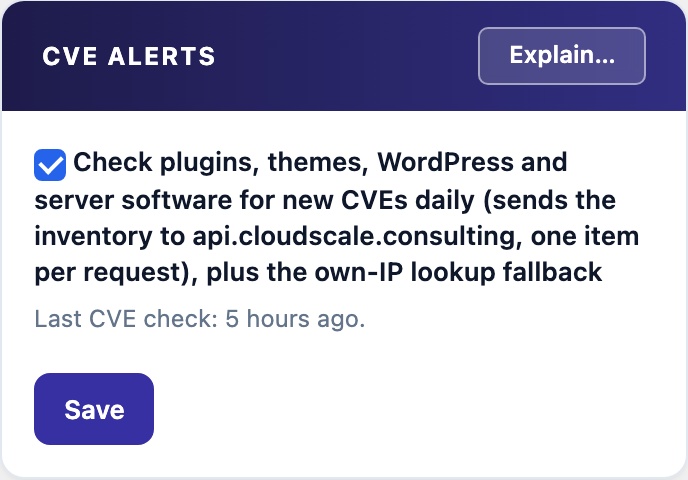
Once a day, checks every installed plugin and theme, your WordPress version and your server software for new known vulnerabilities, and alerts once on each new match. It sits beside PHP Advisory Alerts on the AI Security Scan tab. Off by default. When it is off, the plugin says so plainly and offers a one-click Turn on.

🛰️ Hear About a New CVE Without Running a Scan
A security scan checks your plugins for known vulnerabilities when you run it. A vulnerability published the day after is not reported until you scan again. CVE Alerts checks every day, on its own, and tells you once when something you have installed gets a new CVE.
This panel was called External Lookups and sat on the Firewall tab. It is now CVE Alerts, on the AI Security Scan tab, directly after PHP Advisory Alerts. Both switches that notice a new vulnerability are in one place.
What It Checks
- Every installed plugin. Inactive ones too. They sit on disk unpatched and can be activated with one click.
- Every installed theme.
- Your WordPress version.
- Your server software, such as PHP, the database and the web server.
Once a day, each item is looked up against the vulnerability feed. A new match on a plugin or theme is alerted once, and a deep scan does not alert on the same CVE again. For server software it alerts once on a new advisory, or when a version branch has newly reached end of life. The panel shows when the last check ran.
What it sends
- One item per request. Once a day, it sends each installed plugin and theme slug, your WordPress version and server software versions to api.cloudscale.consulting, one per request.
- Never your site URL. Never your hostname, and never the whole plugin list in one request.
- The own-IP lookup fallback. The same switch turns this on. When the site cannot work out its own public address locally, it asks CloudScale’s
/whoamiendpoint. That stops Automatic IP Blocking from ever blocking the site’s own health checks. The site still tries the local way first, with no network call. - Off by default. Nothing is sent until you turn it on.
- Never on a page view. It runs from a scheduled task only.
- A feed that does not answer is not a clean result. That run is recorded as unchecked.
Turning it on
- Click Turn on CVE lookups. The button shows in the panel while the check is off, with what it sends beside it. The first daily check runs in about two hours.
- Or tick the box and click Save.
- To stop it, untick and save. With it off, a security scan you start still checks your CVE exposure. Nothing checks between scans.
New CVEs Are Not Being Checked
Two checks notice a new vulnerability by themselves: CVE lookups (this panel) and PHP advisory alerts (the panel above). Both are off by default. With both off, a CVE is looked up only when you start a security scan or click Check host software. So while either is off, the plugin says so in three places.
The notice
A notice at the top of the plugin’s own screens, for administrators. It reads New CVEs are not being checked, names the checks that are off, and says nothing is sent until you turn one on. Each check that is off gets a one-click button, with what it sends beside it:
- Turn on PHP advisory alerts. Downloads a public list of php.net security releases from api.cloudscale.consulting every 6 hours. Sends nothing about this site.
- Turn on CVE lookups. Once a day, sends each installed plugin and theme slug, your WordPress version and server software versions to api.cloudscale.consulting, one per request, never your site URL. Also turns on the own-IP lookup fallback.
Each button turns one check on and never turns anything off. Nothing is switched on unless you click. Remind me in 30 days hides the notice for you only. It comes back after 30 days if a check is still off. Once both checks are on, the notice is gone.
In the Site Audit
The finding New CVEs are not being checked, at Medium, so it counts in the score. It names the checks that are off and what each would send. Its fix points to AI Security Scan → CVE Alerts, and to PHP Advisory Alerts beside it. The finding reads two settings. It fetches nothing.
In the weekly report
A New CVE checks section. While a check is off it is red and counted as an item to act on, with one row for each check that is off and what turning it on sends. When both are on it is green.