← CloudScale Plugin Help/CloudScale Cyber and Devtools: Free WordPress Security, AI Penetration Testing & Developer Toolkit
Attack Monitor
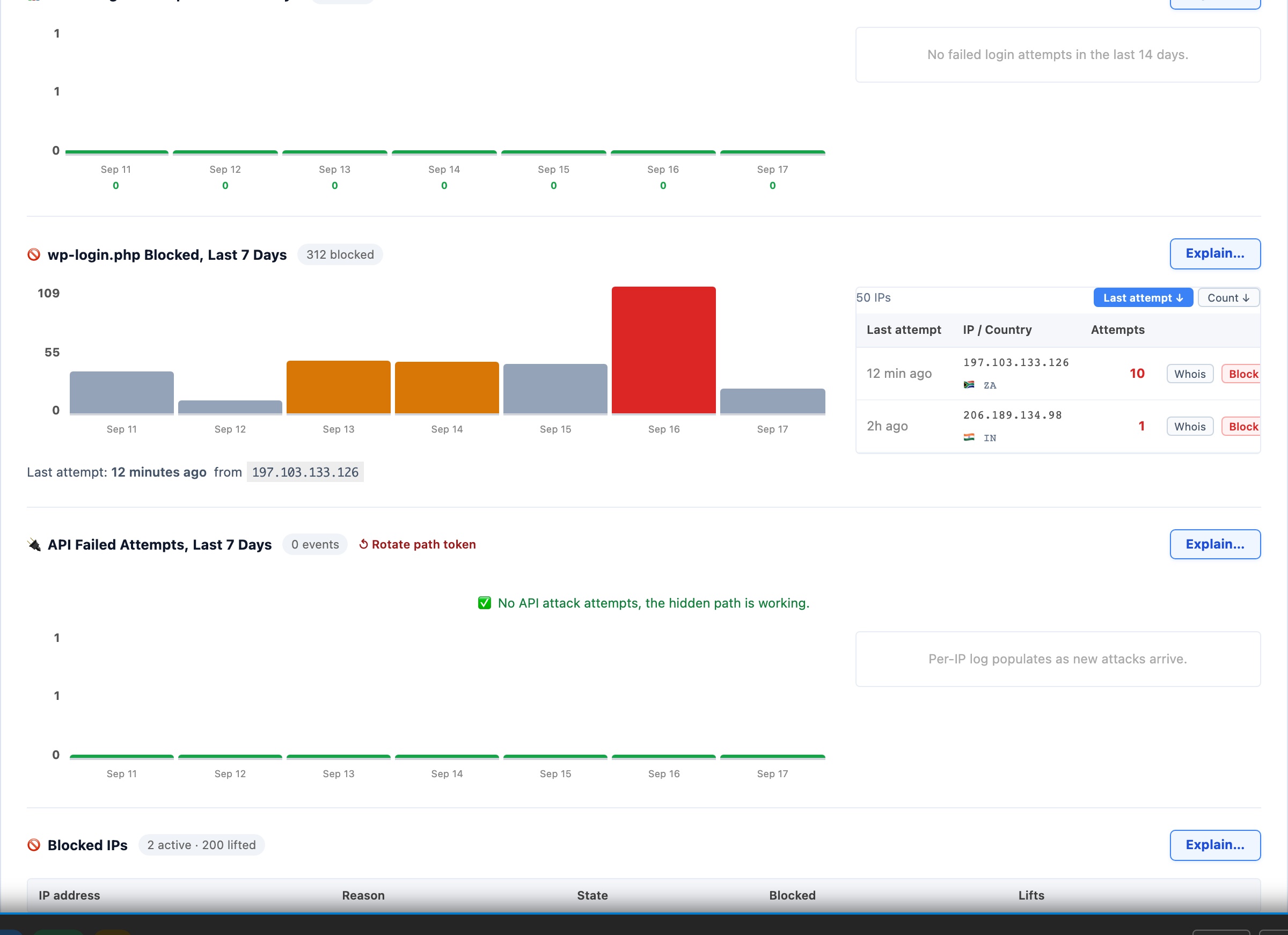
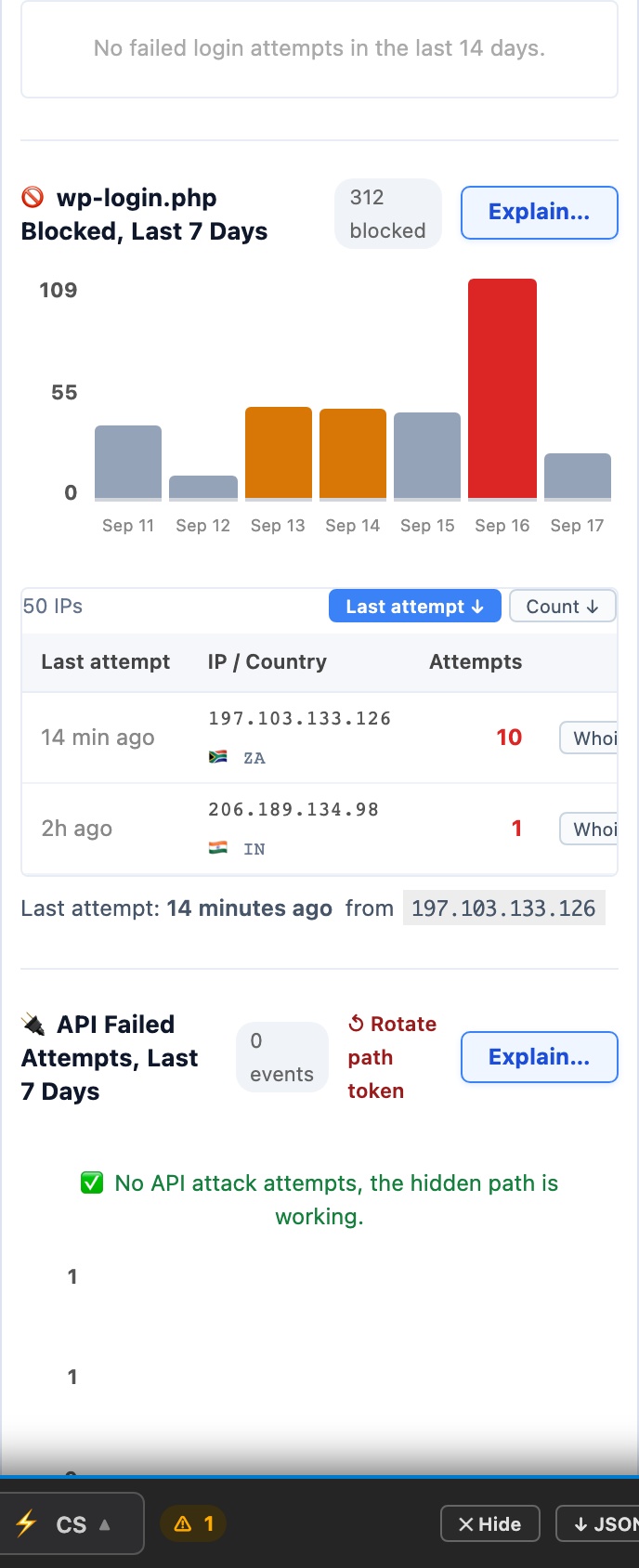
The numbers behind the map: failed login attempts over the last 14 days, wp-login.php probes blocked over the last 7, failed API attempts over the last 7, and the live blocklist of IP addresses currently receiving a 403 on every request. Each chart carries its own ranked IP table so you can see which addresses are responsible, and when they last tried.
📊 The Numbers Behind The Map
The Attack Origins map is the summary; this is the detail. Four live views, failed logins, blocked login-page probes, failed API attempts, and the current blocklist, each with the individual IP addresses responsible and when they last tried.
Failed Login Attempts, Last 14 Days
Counted every time a username and password are submitted to your login form and rejected. These are real credential attempts: the form was found and filled in. A sustained count means somebody is actively guessing.
Brute-force protection locks the targeted username rather than the source IP, so an attack distributed across thousands of addresses against one account is stopped just as effectively as a single-source one.
wp-login.php Blocked, Last 7 Days
Requests to the default login path that were refused because Hide Login URL had already moved the form elsewhere. A large number here is a good sign, not a bad one: it is the count of attacks that never got as far as a password field. The paired table lists the last 50 probing IPs with their country and attempt counts, sortable by most recent or by volume.
API Failed Attempts, Last 7 Days
Failed authentication against the REST API and XML-RPC. These endpoints are a favourite because they accept credentials without ever loading the login page, so a site that has only hardened wp-login.php is still wide open here. Zero is the outcome you want.
Blocked IPs
Every address currently blocked, whether you added it by hand or Automatic IP Blocking added it for you. A blocked IP receives a 403 on every request, it cannot reach any page on the site, not just the login form.
Manual blocks stay until you remove them. Automatic blocks expire on an escalating ladder: 1 hour, then 1 day, then 7 days for repeat offenders. The table is ordered newest block first, so an IP you were just alerted about is at the top rather than buried below the fold.
Check the Visitor IP Source first. Every count and every table on this panel is keyed on the visitor IP address. If your site is behind Cloudflare, a CDN or a reverse proxy and the IP source is set wrong, every attacker resolves to the proxy’s address instead of their own, the charts still look plausible, the blocklist fills with one IP, and blocking it takes your whole site offline. Set it, verify it against the detection table on that panel, and these numbers become trustworthy.