← CloudScale Plugin Help/CloudScale Backup & Restore, Free WordPress Backup Plugin with One-Click Restore & Cloud Sync
Clone to a Staging Site
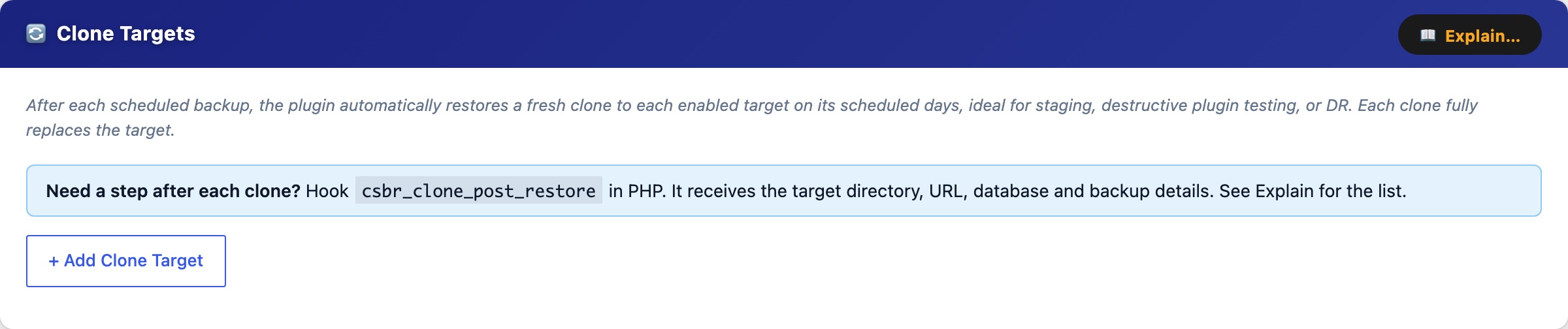
A clone restores one of your backups into a separate WordPress install on the same server, with its own directory and its own database, and rewrites every address in it to the new one. Your live site is never touched. Use it to try a risky plugin update, to rehearse a restore, or to keep a staging copy that refreshes itself after each backup.
It is different from the two restores. Manual Restore puts this site back from its own backup, over the top. Automated Restore brings another site’s backup onto this server to be a standby. Clone puts a copy of this site beside it.
Before you start
The plugin does not create the new site’s folder or database for you. It fills what you have prepared. You need:
- An empty directory the web server can write to, for example
/var/www/staging. - A
wp-config.phpin that directory that names the target’s database, with the database values written out literally. One that reads them from environment variables cannot be used, because the plugin has no way to know what those variables hold, and it says so rather than guessing. - A database user that can create the database, or a database that already exists and is empty. The database is created if it is missing.
- A backup that includes WordPress core files. Tick WP Core files when you make the backup. Without it there is nothing to build the new site from, and the clone says so before it does anything.
- The PHP
mysqliextension, which nearly every host has.
Pointing your web server or hosting panel at the new directory, and giving it a hostname, is yours to do. The plugin does not touch virtual hosts or DNS.
Adding a target
Open the Clone Targets tab and press Add Clone Target.
- Name, anything, for your own reference. The URL is suggested from it.
- Target directory, where the new site’s files go.
- Target URL, the address the new site will be served from. Every address in the copied database is rewritten from your live site’s to this one.
- wp-config.php path, the file described above. Usually the one inside the target directory. Verify reads it and shows the database name, host and table prefix it found, or says what is wrong. It never shows the password.
- Schedule days, the days the target is refreshed automatically, straight after your scheduled backup. Leave them all unticked and it only ever runs when you press Clone Now.
What Clone Now does
It asks first, and the question names the directory it will replace and the wp-config.php whose database it will empty. There is no undo. Declining sends nothing at all. If you accept, it:
- Drops every table in the target’s database.
- Deletes the target’s
plugins,themes,uploads,mu-pluginsandlanguagesfolders. - Extracts the backup into the directory: WordPress core, plus the plugins, themes, uploads and other folders the backup holds.
- Leaves the
wp-config.phpyou named in the target directory, copying it in if it lives somewhere else. It is never your live site’s, because the clone refuses that, and that is what keeps the copy pointed at its own database. - Loads the database, one statement at a time from disk. Nothing is held in memory whole, so a large site clones inside PHP’s default memory limit, and the temporary copy of the dump is removed even when the load fails.
- Rewrites the old address to the new one everywhere it appears: in plain text, inside serialized data (with the length markers recalculated so it still loads), and inside JSON, where slashes are escaped and a simple find-and-replace misses it. Page builders store their layouts that way.
- Fires the
csbr_clone_post_restoreaction, described below.
What it refuses to do
These are checked before anything is deleted, and each refusal says why and that nothing was changed.
- The target directory is this site. That would wipe the live site.
- The target directory contains this site, for example
/var/wwwwhen the live site is/var/www/html. Extracting a whole site there would overwrite the live one file by file. - The target’s database is this site’s own. This is the classic mistake: the directory is right, but the
wp-config.phpfield still holds the live site’s, and every table in production would be dropped. The plugin compares database name and server, treatinglocalhost,127.0.0.1and::1as the same server. - A
wp-config.phpalready in the target that this site cannot overwrite. Fix the permissions first.
If you genuinely mean to overwrite this site, that is what the Restore tab is for. The clone tool has no switch for it on screen.
Doing something after a clone
The clone runs no scripts. Earlier development builds generated shell scripts for this. They were removed because nothing ran them and WordPress.org does not allow a plugin to write executable files. To flush a cache, fix permissions or register the new site with something, hook the csbr_clone_post_restore action from a plugin on the site that does the cloning:
add_action( 'csbr_clone_post_restore', function ( array $env, string $name ): void {
    // $env['CSBR_TARGET_DIR']     where the new site's files are
    // $env['CSBR_TARGET_URL']     its address
    // $env['CSBR_SOURCE_URL']     the address it was rewritten from
    // $env['CSBR_TARGET_NAME']    the target's name
    // $env['CSBR_TARGET_DB']      its database name
    // $env['CSBR_TARGET_DB_HOST'] its database server
    // $env['CSBR_TARGET_DB_USER'] its database user
    // $env['CSBR_BACKUP_FILE']    the backup zip that was used
    // $env['CSBR_BACKUP_DATE']    when that backup was made
    // $env['CSBR_WP_VERSION']     the WordPress version in it
}, 10, 2 );
Worth knowing before you use it
A clone is a complete copy, and it does not know it is a copy. It holds your users, your mail settings and your scheduled tasks. Nothing in it blocks outgoing email, so a password reset or order email triggered on the clone can reach a real person. Block email on the clone before you browse it. To stop its scheduled tasks firing, add define( 'DISABLE_WP_CRON', true ); to the wp-config.php the target uses. The clone keeps that file through every refresh, so the setting persists.
- Everything in the target is replaced each time. Anything written only on the clone is lost at the next clone. It is a copy, not a second place to work.
- There is no rollback. If loading the database fails part way, the target is left empty. The error names the statement that failed, so you can see why, and the temporary files are cleaned up either way.
- Cloud credentials are not copied. They live outside the database and are excluded from backups, so a clone starts without your cloud storage logins.
- Multisite, and databases on a different server from the live site, have not been tested.