← CloudScale Plugin Help/CloudScale Site Analytics, Free Privacy-First WordPress Analytics Plugin
IP Throttle
Four panels for keeping your stats accurate: automatic bot blocking by request rate, client and server-side view deduplication, blocked IP management, and an emergency switch to pause all tracking.
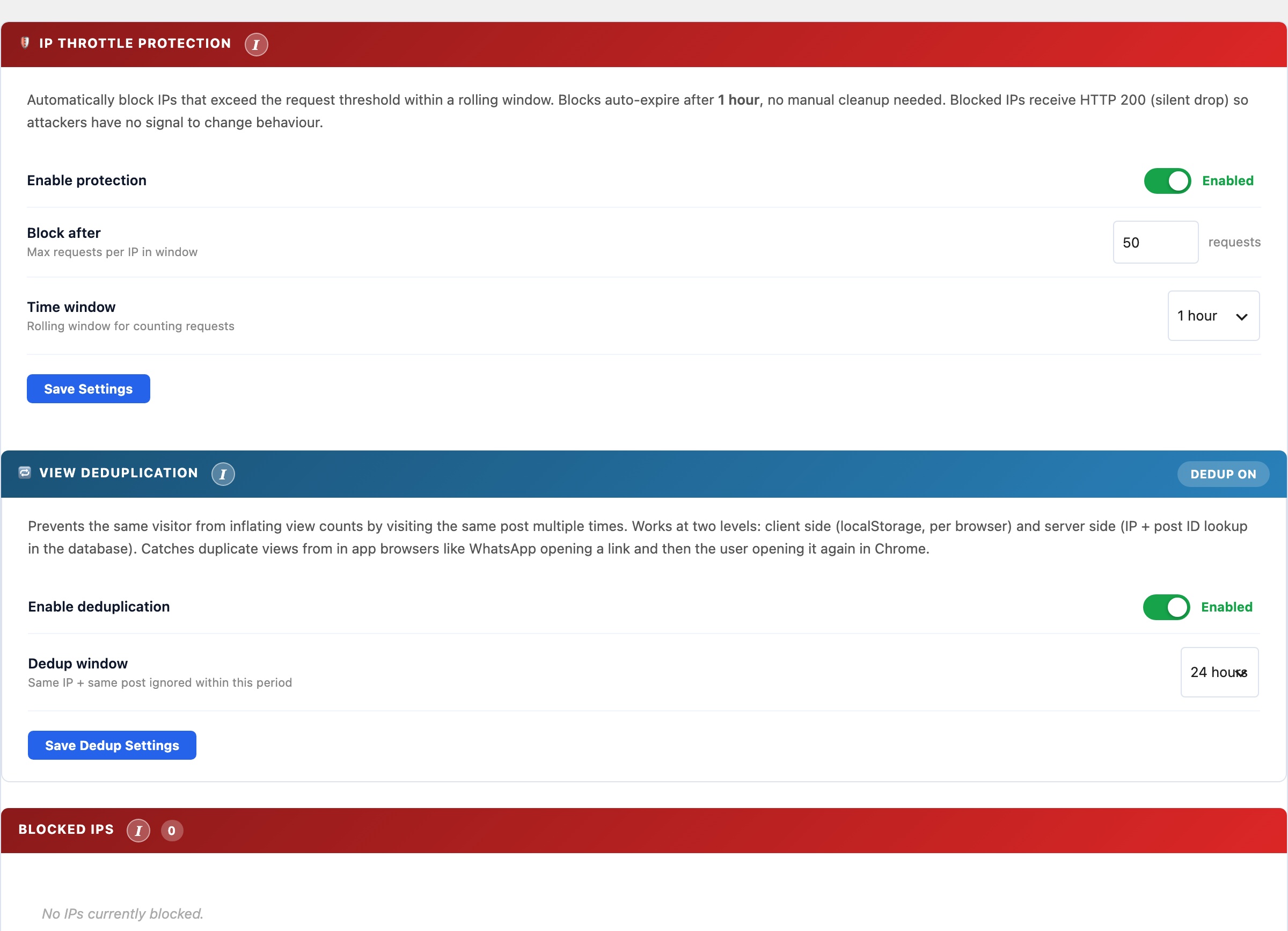
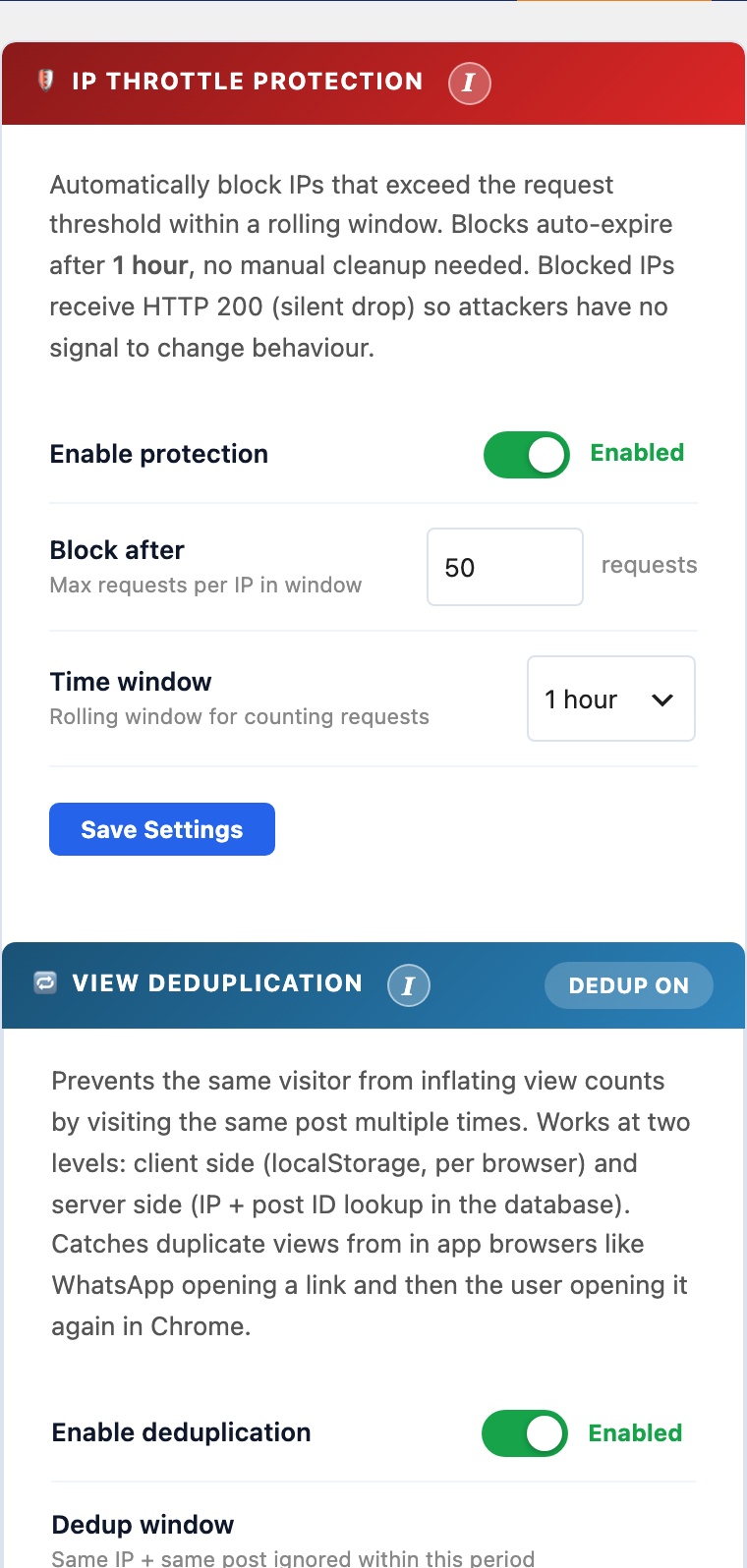
The IP Throttle tab has four panels that work together to prevent inflated statistics from bots, repeat loads, and your own browsing.
IP Throttle Protection
Automatically blocks IP addresses that send an excessive number of beacon requests within a rolling time window, typically aggressive scrapers, bots, or misconfigured load tests. Blocked IPs receive an HTTP 200 response (silent drop) so attackers have no signal to change behaviour. Blocks auto-expire after 1 hour.
- Enable protection: toggle to activate automatic IP blocking.
- Block after: maximum number of requests per IP within the time window before the IP is blocked.
- Time window: the rolling window for counting requests: 10 minutes, 30 minutes, 1 hour, 2 hours, or 24 hours.
- Exclude logged-in users: prevents any authenticated WordPress session from being counted. Detected via the
logged_in_{hash}cookie in the beacon. - Exclude administrators: more granular; only users with the
administratorrole are excluded. Editors, Authors, and Contributors are still counted.
View Deduplication
Prevents the same visitor from inflating view counts by visiting the same post multiple times within a configurable window. Works at two levels simultaneously:
- Client-side (localStorage): the beacon records a key in
localStorageper post on first fire. Subsequent visits to the same post from the same browser do not fire the beacon again within the window. Catches duplicate views from in-app browsers (e.g. WhatsApp opening a link, then the user opening it again in Chrome). - Server-side (IP and post ID lookup): the REST endpoint checks
wp_cspv_views_v2for a recent row matching the same hashed IP andpost_idwithin the dedup window. This catches duplicates from clients that clear localStorage or use private browsing.
Configure the dedup window (1 hour to 48 hours). Setting it shorter counts repeat visits within a day; longer prevents the same reader from contributing more than once per session period.
Blocked IPs
Shows all IPs currently blocked by the throttle system. IPs are stored as one-way SHA-256 hashes; they cannot be reversed to a real IP address. Each entry shows the block timestamp and time remaining until auto-expiry.
- Unblock: removes a specific IP hash from the blocklist immediately, before the auto-expiry timer.
- Clear All: removes all blocked IPs at once. Use after a false-positive event (e.g. a load test triggered the throttle).
Page Tracking
An emergency kill switch that instantly stops all view tracking across the entire site. When paused, the tracking beacon script is not loaded on any page and the REST recording endpoint silently rejects all requests. Historical data is fully preserved.
Use this during content imports, database migrations, load tests, or any period when you do not want views recorded. The status badge on the panel header shows TRACKING ACTIVE (green) or TRACKING PAUSED (red) at a glance. Toggle it off to resume normal tracking immediately.